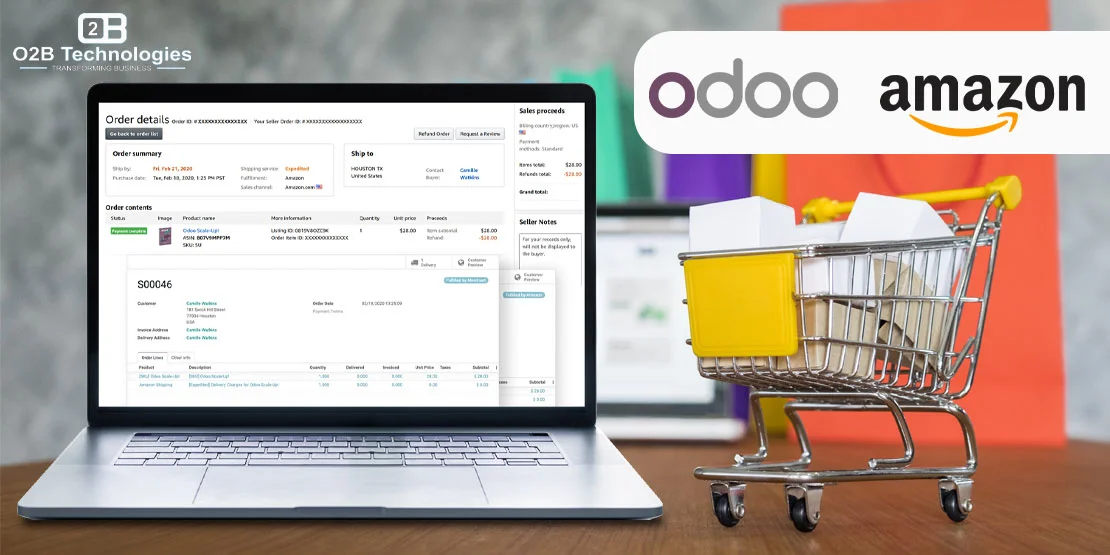
Connecting Amazon Seller Central with Odoo ERP
For retail brands and distributors selling on Amazon, managing daily marketplace operations across isolated tabs in Amazon Seller Central quickly turns into a logistical bottleneck. High order volumes, rapid stock movements, marketplace fee structures, and fulfillment SLAs demand tight coordination between sales, inventory, and accounting. When staff manually re-enter orders, copy customer shipping labels, or adjust available quantities by hand, stock sync lags create costly fulfillment delays and out-of-stock penalties.
An Odoo Amazon connector bridges Amazon Seller Central directly with your central Odoo database. By leveraging Amazon's Selling Partner API (SP-API), the connector automates sales order creation, coordinates multi-warehouse inventory levels, handles FBM tracking confirmations, and brings FBA transactions into your financial ledger. Whether you rely on Odoo Enterprise's native connector app or custom extensions tailored to high-volume multi-account setups, unifying Amazon with Odoo brings operational clarity to your multichannel retail workflow.
Selling on Amazon and tired of updating stock by hand? Let's connect it to Odoo.
What Syncs Between Amazon and Odoo
Connecting Amazon to Odoo is not a one-size-fits-all export. The connector handles distinct data feeds at different frequencies to ensure inventory availability is updated rapidly while accounting entries reflect actual settled transactions. The table below outlines core entities, data direction, and synchronization behavior:
| Data Entity | Direction | Sync Frequency | Operational Details |
|---|---|---|---|
| Orders (FBA & FBM) | Amazon → Odoo | Automated (15-30 min) | Imports confirmed Amazon orders, line items, item pricing, and taxes. Generates native Odoo Sales Orders and reserves stock for FBM orders. |
| Stock Levels | Odoo → Amazon | Scheduled or Event-driven | Pushes available-to-promise inventory quantities from specified Odoo physical warehouses to Amazon FBM listings, which helps reduce overselling. |
| Products & Listings | Amazon ↔ Odoo | Catalog Onboarding | Maps Amazon Seller SKUs and ASINs to Odoo Internal References (SKUs) and barcodes (UPC/EAN). Links catalog items without duplicating database products. |
| Shipping & Tracking | Odoo → Amazon | Upon Packing / Dispatch | When warehouse teams validate shipments in Odoo Inventory, carrier tracking numbers and fulfillment dates post back to Amazon to confirm customer dispatch. |
| Returns & Refunds | Amazon → Odoo | Daily or On-demand | Syncs marketplace return records and credit requests, creating corresponding credit notes in Odoo Invoicing and reverse transfers in Odoo Inventory. |
FBA vs. FBM: How Odoo Handles Both Fulfillment Models
Amazon sellers typically operate under Fulfillment by Merchant (FBM), Fulfillment by Amazon (FBA), or a hybrid split across their product catalog. Odoo manages each workflow through dedicated warehouse rules and journal structures:
Fulfillment by Merchant (FBM)
Under FBM, the seller stores products in their own warehouse, facility, or 3PL. When an Amazon customer places an order, the connector imports the record as an unconfirmed or confirmed Odoo Sales Order. Odoo Inventory generates pick, pack, and ship transfer tickets for your warehouse staff. Once packed, your warehouse generates shipping labels (via integrated carriers like FedEx, UPS, or USPS). Validating the delivery in Odoo immediately triggers an API call that feeds the tracking number and carrier code back to Amazon Seller Central, fulfilling marketplace shipment SLA requirements.
Fulfillment by Amazon (FBA)
Under FBA, inventory is held inside Amazon fulfillment centers across the country. Amazon handles pick, pack, shipping, and initial customer service. In Odoo, FBA orders are imported already marked as delivered. Odoo creates the corresponding Sales Order and registers an internal stock move against a dedicated virtual Amazon FBA warehouse location. This gives operations teams real-time visibility into stock distributed across Amazon fulfillment networks without mixing FBA units with local warehouse bins. Inbound stock transfers from your manufacturing facility or primary warehouse to Amazon fulfillment centers are managed through standard Odoo inventory delivery orders.
Native Connector vs. Custom O2B Build
Depending on your Odoo edition, business size, and marketplace footprint, you can deploy Odoo's native Amazon integration or work with O2B Technologies to build custom API extensions:
Native Amazon Connector (Odoo Enterprise)
Odoo Enterprise includes a pre-built Amazon Connector app powered by Amazon's Selling Partner API (SP-API). It supports standard FBM order creation, inventory syncing, and FBA order recording across major Amazon regional marketplaces (North America, Europe, Far East). For companies with standard retail workflows and single-country fulfillment operations, the native connector provides quick time-to-value with straightforward configuration inside standard Odoo settings.
Custom O2B Connectors and Extensions
Growing retailers often run into operational constraints that go beyond default features. Through our dedicated Odoo integration services, O2B Technologies delivers custom modules and enterprise extensions:
- Odoo Community Support: The native connector is strictly limited to Odoo Enterprise. O2B builds robust SP-API connector modules designed specifically for Odoo Community environments.
- Multi-Account Consolidation: Manage multiple Amazon Seller Central accounts (e.g., separate regional entities in the US, UK, and Japan, or distinct brand accounts) within a single multi-company Odoo database.
- Settlement & Fee Reconciliation: Amazon settlement reports bundle product revenue, referral fees, FBA fulfillment charges, returns, and advertising expenses into a single net payout. We build custom accounting reconciliation engines that parse Amazon settlement reports line-by-line, posting exact expense allocations to appropriate chart-of-accounts journals.
- Kitting and Bundling: Automatically decompose Amazon bundle ASINs into individual inventory components or bill of materials (BOM) items in Odoo, ensuring accurate physical component consumption during assembly and dispatch.
Setup Basics: Connecting Amazon Seller Central to Odoo
Establishing an integrated connection between Amazon and Odoo involves several foundational setup steps:
- Amazon Professional Selling Account: Amazon's Selling Partner API requires an active Professional Seller account. Individual selling accounts cannot generate API developer credentials or grant third-party application authorizations.
- SP-API Authorization & OAuth Token: Authorize Odoo through Amazon Seller Central using secure OAuth credentials. This grants Odoo read and write permissions for orders, inventory, and listings according to Amazon developer security policies.
- Marketplace Configuration: Specify the marketplaces you operate in (e.g., Amazon US, Amazon Canada, Amazon Mexico) and assign default sales teams, receivable accounts, and currency definitions in Odoo.
- SKU and Barcode Alignment: Match Amazon Seller SKUs with Odoo Internal References (
default_code) and ensure UPC/EAN barcodes match. Clean SKU mapping ensures incoming order lines link to existing Odoo products without manual intervention. - Warehouse & Cron Schedule Setup: Designate which physical warehouses furnish stock for FBM listings, set inventory buffer thresholds, and establish cron frequencies for automated order imports and inventory pushes.
Multi-Channel Selling: Connecting Amazon with Your Wider Ecosystem
Amazon is rarely the sole revenue driver for established merchants. High-growth ecommerce brands balance Amazon marketplace sales alongside direct-to-consumer websites, wholesale B2B portals, and alternative marketplaces. Unifying your entire tech stack inside Odoo prevents inventory fragmentation and creates a single operational source of truth.
If you sell across other platforms, explore how Odoo coordinates multi-channel fulfillment:
- Learn how O2B connects enterprise ecommerce storefronts with our Odoo for ecommerce solutions.
- Coordinate high-volume catalog sync and order processing through the Odoo Magento connector.
- Manage open-source European and North American retail storefronts with our PrestaShop integration.
- Expand to other marketplace channels using our specialized Odoo integration services for eBay, Shopify, and WooCommerce.
Amazon Data Protection Policy & Buyer Privacy
When architecting an Amazon ERP integration, compliance with Amazon's Data Protection Policy (DPP) and Acceptable Use Policy (AUP) is critical. Under Amazon SP-API guidelines, Personally Identifiable Information (PII) including buyer names, physical delivery addresses, and phone numbers is provided strictly for order fulfillment. Amazon restricts long-term retention of PII on third-party systems and prohibits using Amazon buyer details for off-marketplace CRM marketing or unsolicited customer profiling.
A compliant Odoo Amazon integration ensures customer shipping details are stored securely during order processing and masked or purged following fulfillment, keeping your seller account in good standing with Amazon while preserving accurate accounting totals and financial records.
Frequently Asked Questions
Yes. Odoo Enterprise includes a native Amazon Connector app that connects to Amazon Seller Central via the Selling Partner API (SP-API). For businesses running Odoo Community or those requiring advanced settlement accounting and multi-account consolidation, O2B Technologies builds and deploys custom connectors.
Yes. The connector imports Fulfillment by Amazon (FBA) orders as fulfilled sales orders, tracks inventory across dedicated FBA virtual warehouse locations, and records customer invoices in your accounting ledger.
Yes. For merchant-fulfilled (FBM) listings, Odoo pushes calculated available inventory from your specified physical warehouses directly to Amazon on an automated schedule, which helps reduce overselling.
Yes. Odoo can link multiple Seller Central accounts across different regions (such as North America, Europe, and Asia) and map them to distinct operating companies, currencies, and accounting journals in a multi-company setup.