Odoo Inventory Management Software
The Odoo inventory management module supports businesses in identifying which stock to order when and in what quantity. Inventory is controlled from the purchase process to the sale.
Schedule a Demo
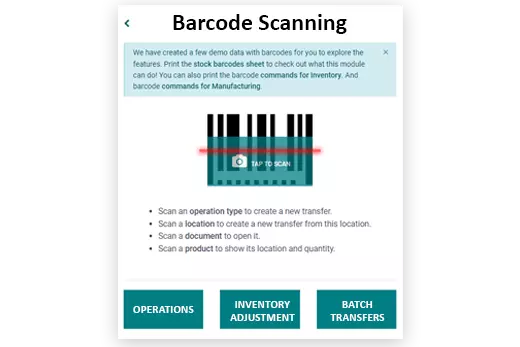
Barcode Scanning
It is simple to set up a barcode system and add SKUs, serial and batch numbers, and goods to sales and purchase orders since inventory is compatible with many types of barcode scanners.
Stock Tracking
Every receipt, delivery and inventory adjustment updates the on-hand quantity right away, so you always know how much stock you have, where it is and what it is worth. Serial and batch numbers, expiration dates and the full movement history let you trace any unit from the supplier to the customer, while real-time valuation keeps the stock figures aligned with accounting.


Warehouses and Transfers
Run any number of warehouses and stock locations from one database and move goods between them with internal transfers, cross-docks and multi-step receipts and deliveries. Routes decide how each order is fulfilled, the scanner confirms every step, and each confirmed move keeps the wider supply chain in sync so the right product is always in the right place.
Reordering Rules
Set a minimum and maximum quantity for each product and Odoo watches the stock level for you. As soon as the on-hand quantity falls below the minimum, the reordering rule triggers replenishment and prepares the request for quotation, tying inventory directly to purchase management so nothing runs out and nothing overstocks.

Software solutions, also known as software applications or software systems, are designed to perform specific tasks or solve particular problems. We have developed many Solutions to provide functionality, automation and efficiency in every area of business and industry, from manufacturing to services, delivered as part of a complete Odoo Implementation.
Frequently Asked Questions
Find answers to common questions about our ERP services
Yes. We provide hands-on, role-based training for your team so they can handle day-to-day inventory operations in Odoo, including receipts, deliveries, stock adjustments and reporting. Sessions come with documentation and post go-live support.
No. You can run the inventory module on its own and add other applications such as accounting, sales or manufacturing later, as your processes require. We only integrate the systems your operations actually need, which keeps the rollout simple and lowers the initial cost.
A warehouse management system (WMS) covers the physical side of the warehouse: it regulates and optimizes how goods are received, stored, moved and picked, down to bin locations, putaway and pick paths. Traditional inventory management takes a wider view: it plans and optimizes stock across every site along the supply chain, deciding what to order, when and in what quantity. Odoo Inventory does both, running the day-to-day warehouse work with barcodes and routes while keeping stock levels, transfers and reordering rules aligned across every location.