Odoo Project Management Software
The Odoo project management module is a time-saving tool that allows us to visualize all of our ongoing tasks. It brings planning, tasks, timesheets and billing together in one place. This supports us in managing people, tasks, deadlines, various projects, regular timesheets, and so on.

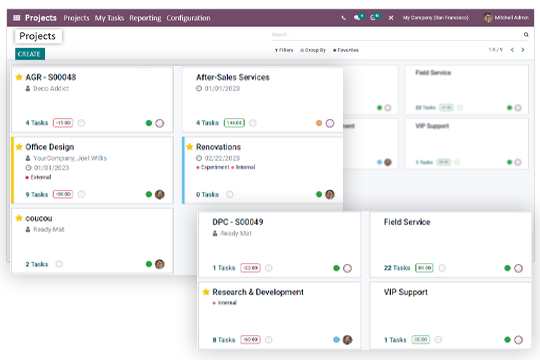
Create and Manage Projects
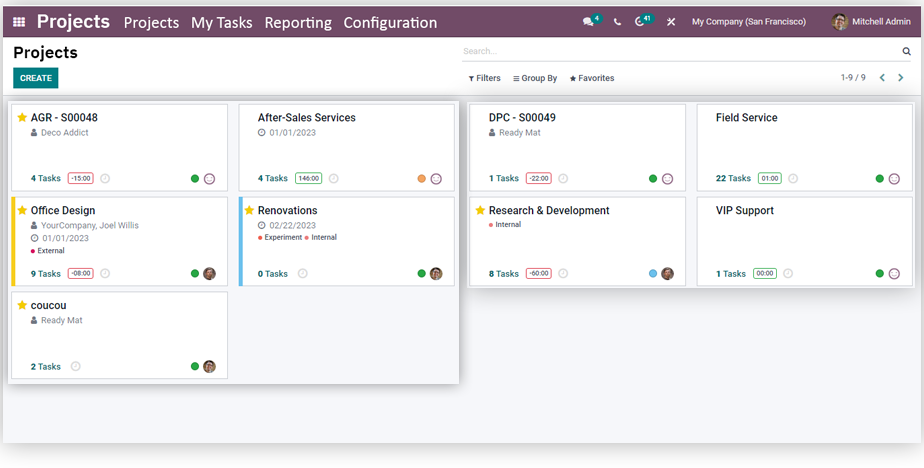
Create new projects with all the necessary details and keep monitoring them at every stage from start to finish. You can easily track the progress of your projects from anywhere anytime, and each project keeps its tasks, documents and discussions in one place.
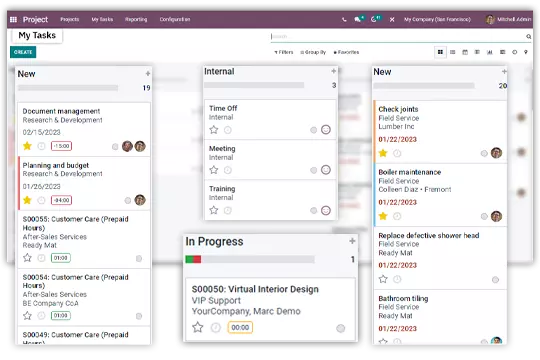
Task Assignment
This feature helps us to select the work and assign it to the concerned staff. It provides assistance so that it can further streamline the validation procedures.
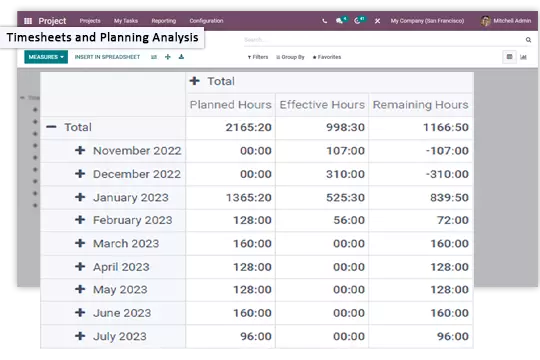
Timesheet Reporting and Planning Analysis
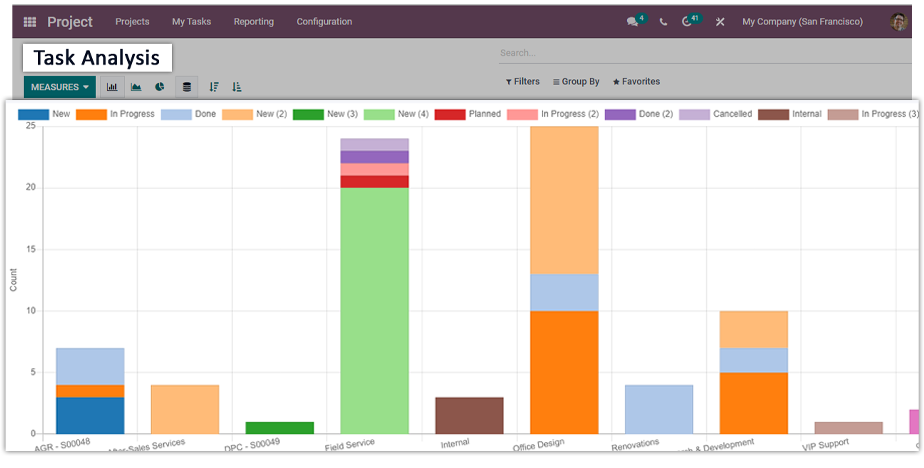
With advanced reporting and analysis, one can easily go through the errors in the previous or currently running projects. Timesheet and planning analysis provides the actual report of the projects for better understanding.
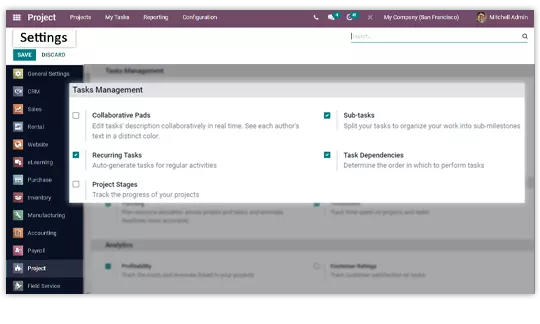
Tasks Management
With the task management feature, you can easily configure the task management settings like tasks' descriptions collaboratively in real-time, split your tasks, auto-generate tasks and more.
Gantt and Planning
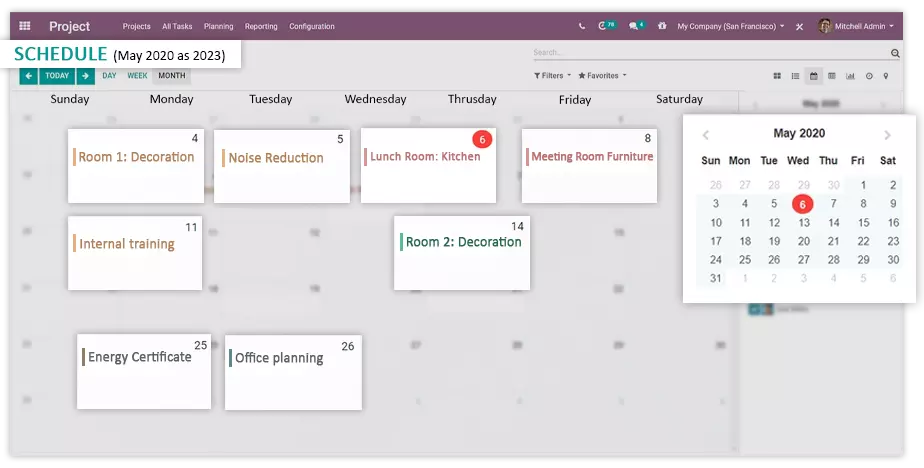
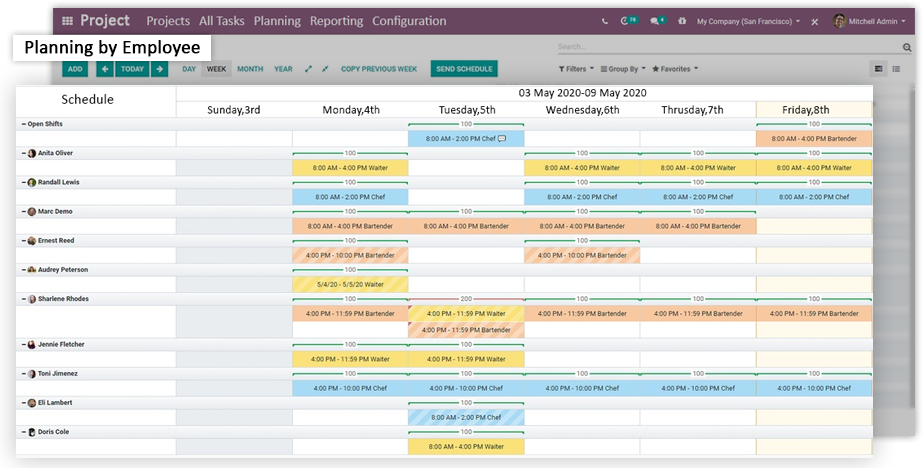
Plan your projects on a Gantt chart and see every task on a timeline. You can drag tasks to change dates, set dependencies and milestones, and check whether the plan fits your team's capacity before you commit to a deadline. The plan view shows each employee's planned hours, so you can spot overload before it delays the project. When the scope changes, you adjust the plan on the chart instead of rebuilding it.
Timesheets and Billing
Your team records hours on tasks with timesheets, so you always know how much time a project has consumed against the budget. Managers approve or refuse timesheets, and the project overview compares recorded hours with the planned budget and deadlines in one place. When you work for clients, Odoo turns the approved timesheets into invoice lines using the rates set on the task or project, so you bill for the actual hours worked without rebuilding the numbers by hand.
O2B sets up Odoo Project for Professional Services teams that bill clients and for Manufacturing companies that plan shop floor work alongside MRP and PLM. If you schedule people across projects, pair it with Resource Planning. We configure all of it as part of your Odoo Implementation.
Frequently Asked Questions
Find answers to common questions about our ERP services
Yes. Projects and tasks can be deleted or archived. If you want to keep the history for reporting, archive the project instead of deleting it.
Yes. When your team records hours on a task, Odoo can turn the approved timesheets into invoice lines using the rates set on the task or project, so you bill clients for the actual time worked.
Yes. Odoo Project includes a Gantt view for planning. You can schedule tasks on a timeline, adjust dates by dragging, and see dependencies and milestones alongside your team's allocations.