
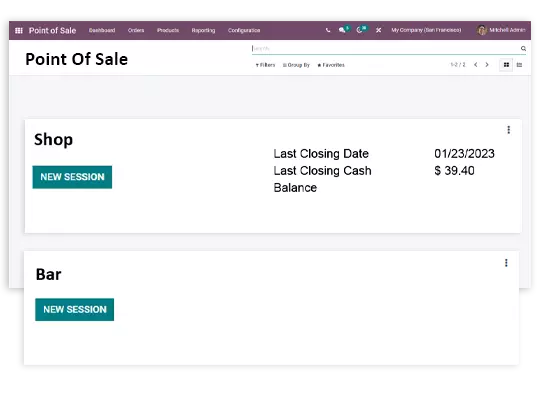
The retail sales management operations' single-stop tool Odoo POS has a dashboard and advanced functional interface that enable you to manage multiple sales sessions all at the same time.
The ability to customize Odoo is also clear in the retail sales management operations, where you can specify how the retail store should operate and how much money it should make.
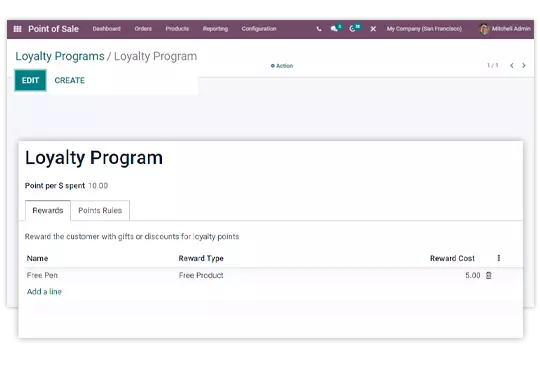
You can design loyalty programs to encourage repeat business from your customers. The point distribution and customizability of loyalty programs both lead to operational standardization.
Because the inventory is integrated with the POS functions, live stock levels help you avoid selling out-of-stock items at the counter. Sales made at the POS update stock in real time, and features of inventory management also include the automatic generation of orders placed depending on the inventory levels. Multi-store businesses can move stock between locations without leaving Odoo. More on our inventory management solution.
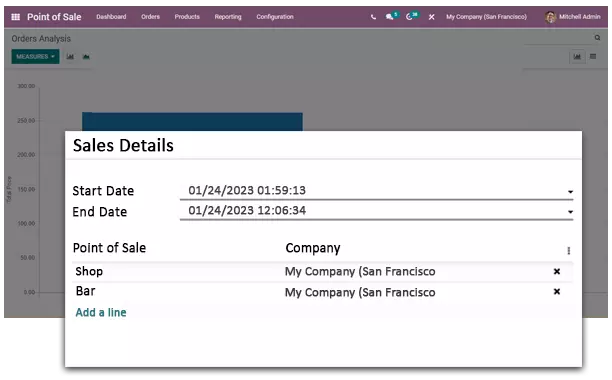
Get regular reporting in various formats as required. Check the order details, sales details and daily reports in the system at a single point only. Analyze the reports and modify the business strategy as required.
US buyers usually check the hardware first, and Odoo POS covers it. The IoT Box connects receipt printers, barcode scanners, cash drawers, customer displays and payment terminals to your POS session, so receipts print and payments post to Odoo without extra steps. Odoo works with the card terminals offered by major US payment providers, and payments taken on the terminal are matched to the POS order automatically through payment gateway integration. Whether you are equipping one counter or a chain of stores, we help you pick the right devices and set them up. See our IoT page for the full list of supported hardware.
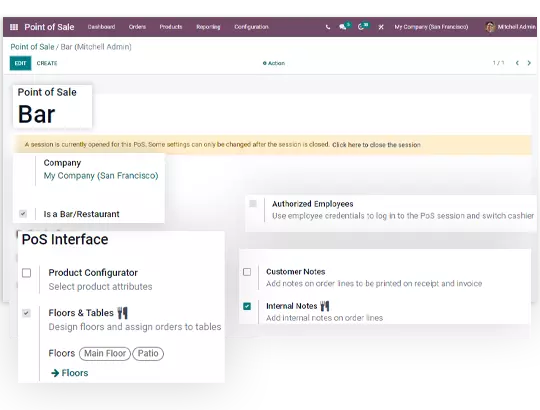
Odoo POS is not limited to the retail counter. Restaurant mode gives you a floor plan you can design to match your space, with tables, counters and bars laid out the way your staff actually works. Orders go straight to the kitchen on a display screen or printer, so the front of house and the kitchen stay in sync. Guests can split a bill across people, cards or payment methods in a few taps, and course sequencing, tips and table status are built in. The same Odoo database can run your shop and your restaurant, with shared products, inventory and reporting.
O2B Technologies sets up Odoo POS for US retail and restaurant businesses. We configure your products, pricing, payment terminals and store hardware as part of your Odoo Implementation, so sales, inventory and accounting stay in one system. If you already run Odoo, we can add POS stores to your existing database.
Yes. Odoo POS keeps running when the internet drops. Orders continue to be taken and payments recorded locally, and everything syncs to your Odoo database as soon as the connection is back.
Odoo POS integrates with major US payment providers such as Adyen, Authorize.net, Stripe and PayPal, and works with their supported card terminals. Payments taken on the terminal are matched to the POS order automatically, so bank reconciliation stays clean.
Yes. Odoo POS includes a full restaurant mode with floor plans, table management, course sequencing, kitchen orders sent to a display or printer, tips and split bills. It runs on the same database as your retail POS, so one system can cover both.