Odoo Accounting for US Businesses
Odoo offers the most useful accounting software that helps businesses manage their accounts and track all their accounting & finances with the highest accuracy. Odoo's accounting management solution allows companies to satisfy all their accounting needs such as managing and tracking invoices and payments, budgets, expenses, bank reconciliations, analytic accounting reports, and many other finance operations.

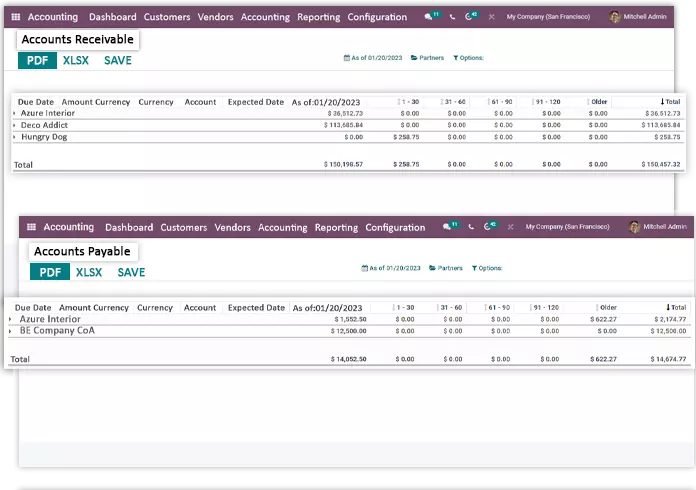
Accounts Receivable & Payable
Using this accounting solution one can handle payments receivables and payables in a more innovative way. Right from drafting professional and informative invoices and vendor bills to tracking each of them, everything is covered in this accounting app. Furthermore, you can manage the credit note and refund for your customers and vendors respectively. Also, this software supports multiple payments for one invoice, cash discounts, and partial reconciliations. Moreover, track all the employee expenses, right from the generating and recording to the approval and reimbursement. On the receivables side, automated payment reminders go out for overdue invoices, so cash keeps moving without manual chasing. For vendor bills, Odoo's AI-powered invoice and bill scanning reads the bills that arrive in your inbox and creates draft bills for you to review, cutting manual data entry.
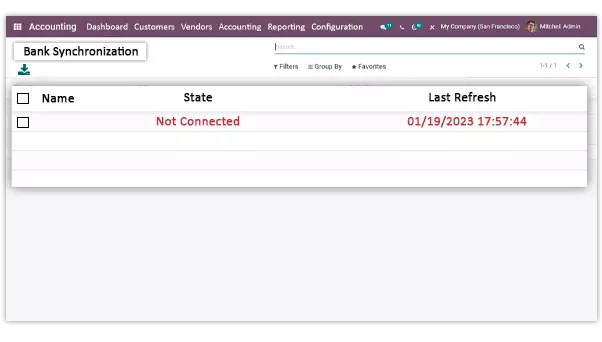
Bank Synchronization
Using this open-source accounting software, you can get the option to synchronize your bank with all your bank statements automatically. It saves a lot of time and effort as well as reduces the probability of accounting errors. You can automatically retrieve your bank statements by using the automatic bank synchronization feature. Additionally, Odoo connects to 28,000+ banks for U.S. businesses.
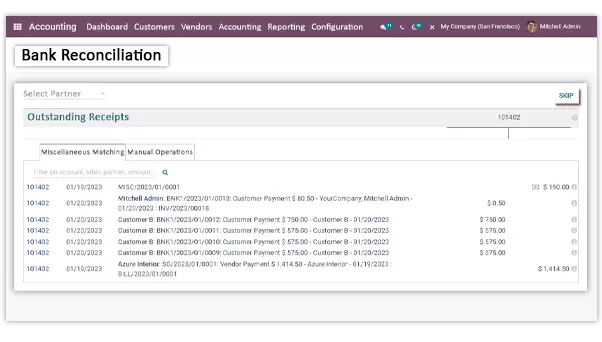
Bank Reconciliation
With the advanced reconciliation tool of the Odoo accounting module, one can reconcile bills or invoices with the bank and other platforms automatically. In other words, one can get the complete reconciliation process automated, it saves time. You can get the reconciliation requests automatically which will reduce the mistakes. Also, you can register additional journal items on the go. This also provides an interface for manual reconciliations, for paid as well as open invoices. Reconciliation of every record is important to ensure that every journal entry is balanced and in agreement.
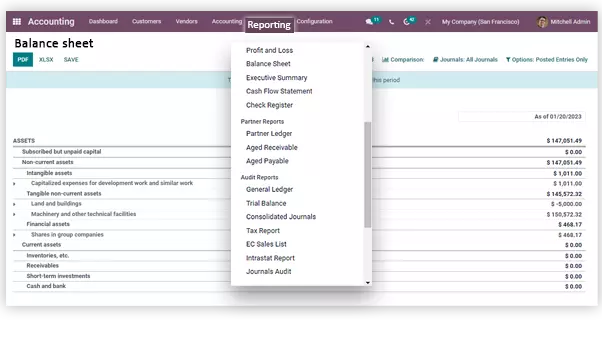
Financial Reports
You will obtain accurate and dynamic financial reporting statements for all your accounting operations. Furthermore, this app allows you to see a vast overview of the company's every account & finance aspect. Simply put, you can get a precise report of all financial statements such as profit & loss, general ledger, consolidated journal, cash flow, invoices, vendor bills, balance sheet, tax reports, age receivable & payable, trial balance, and more.
Odoo Accounting and Your Other Apps
Odoo Accounting keeps itself up to date as you work, because it shares one database with the rest of Odoo.
- Sales: a confirmed sales order creates the invoice, and the payment is recorded against it automatically.
- Inventory: goods movements update stock value and cost of goods sold, so the balance sheet reflects real stock levels.
- Manufacturing: production costs, labor and material consumption are recorded to the books automatically for accurate financial tracking.
This connection reduces manual data entry errors and gives you a complete view of the business operations.
Built for US Businesses
- US sales tax: configure tax rules by state, or connect a tax service such as Avalara (AvaTax) so rates apply automatically at checkout, on shipping and on invoices.
- 1099 vendor tracking: flag vendors as 1099-eligible, track their payments through the year, and hand clean totals to your accountant at tax time.
- Bank feeds for US banks: automatic bank synchronization with 28,000+ banks, so statements flow into Odoo and reconciliation stays current.
Switching from QuickBooks
If you're outgrowing QuickBooks, Odoo brings accounting and operations into one system. We import customers and invoices from QuickBooks Desktop into Odoo, along with your vendors, chart of accounts and history, so your team keeps working without losing data. See why migrate from QuickBooks to Odoo, or let our team handle the migration for you.
We set up Odoo Accounting as part of our Odoo implementation work, including manufacturers.
Frequently Asked Questions
Find answers to common questions about our ERP services
Using this open-source accounting software, businesses can handle all the accounting functions effectively such as;
- Creating and sending invoices and bills,
- Recording and tracking expenses,
- Finalizing tax returns,
- Keeping a tab on the profit and loss,
- Creating, tracking, and controlling budgets,
- Automating plenty of repetitive manual tasks,
- Generating precise financial reports,
- Meeting the legal requirements of the enterprise, and so on.
Yes, the desktop accounting software needs to be installed on your computer and you can only access the solution from your system. All the accounting data needs to be stored on your desktop or computer system.
On the other hand, online accounting software runs via the internet. You can use it on your desktop, tablet, as well as on your mobile devices. This means it is accessible from anywhere at any time.