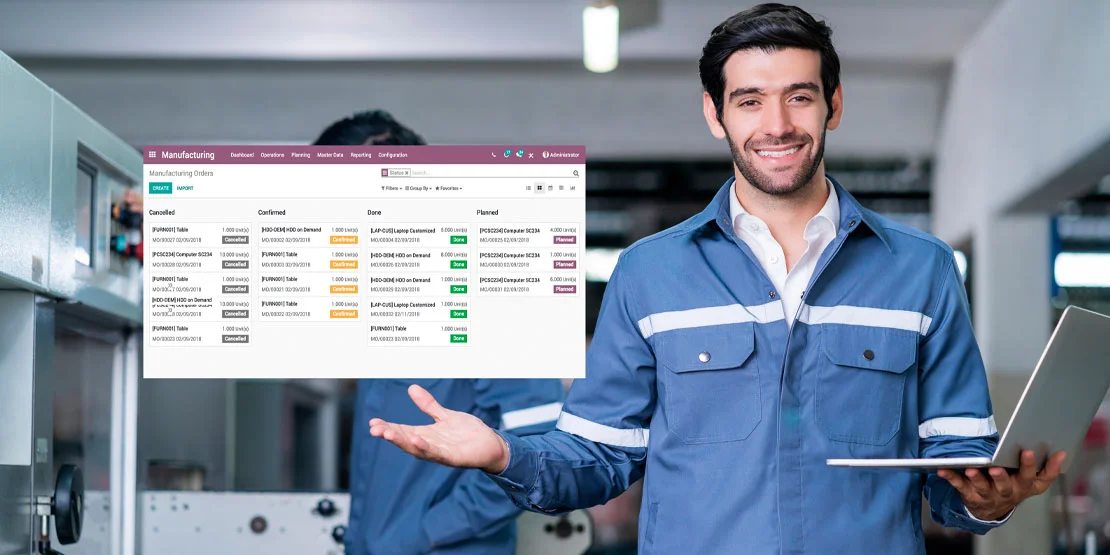
ERP for a manufacturer is one system for inventory, production, purchasing, sales and accounting. Orders, stock, work orders and costs update in the same place, so your team stops reconciling spreadsheets and starts working from the same numbers.
This guide covers the 10 benefits manufacturers ask about most, the problems ERP solves and how to tell whether you are ready. For the product view, see Odoo for manufacturing; for production detail, read the Odoo MRP guide.
O2B is an Odoo Ready partner. Our team is based in Austin, Texas and works with manufacturers across the US.
The 10 Benefits at a Glance
The list below matches the ten benefits covered in this guide.
- Operational efficiency
- Real-time visibility
- Inventory control
- Quality assurance
- Production planning
- Supply chain management
- Financial management and costing
- Reporting and compliance
- Customer management
- Scalability
1. Operational efficiency
ERP removes the re-keying that slows a shop down. A sales order flows into production, purchasing sees the demand and accounting sees the cost without a second entry. Standard workflows replace the manual handoffs that cause delays and mistakes.
2. Real-time visibility
Managers can see order status, stock levels and production schedules as work happens, not in a report that is already a week old. That helps teams spot a late job earlier and make decisions from current data. See how this works in Odoo for manufacturing.
3. Inventory control
ERP tracks lead times, demand and stock in one place. Reorder rules and lot tracking help manufacturers avoid overstock and reduce stockouts, without holding extra capital in the warehouse. See our inventory management services for the Odoo setup.
4. Quality assurance
Quality checks can be attached to receipt, production and final inspection, with alerts and non-conformance records on one board. Problems are caught earlier, and the lot or serial history shows which orders are affected. Explore Odoo quality management.
5. Production planning
ERP plans materials and work centers from real demand. Planners can schedule each job, reschedule when priorities change and see the impact on capacity. For the manufacturing order flow, read the Odoo MRP guide.
6. Supply chain management
Purchasing, suppliers and logistics share the same demand signal. Manufacturers can compare supplier lead times, consolidate orders and see which materials are at risk before a line stops. Odoo connects this with supply chain management.
7. Financial management and costing
Every job can carry its real material, labor and overhead cost. Finance sees invoices, payments and margins in the same system as production, so costing is based on what happened on the floor rather than an estimate. See Odoo accounting software.
8. Reporting and compliance
ERP keeps the records US manufacturers need for audits and inspections. Examples include OSHA injury and illness logs, FDA lot tracking for food and medical products, and ITAR controls for defense parts. Reports can be pulled from the same data your team already uses, which makes audit preparation faster and less manual.
9. Customer management
CRM data sits next to orders, quotes and delivery dates. Sales can see what a customer bought, what is in production and when it will ship, so answers are faster and follow-up is based on real order history. See Odoo CRM.
10. Scalability
ERP gives you room to add users, work centers, warehouses or apps without replacing the system. A manufacturer can start with production, inventory and accounting, then add quality, maintenance or CRM as the business grows. The Odoo for manufacturing page covers the modules we set up.
Problems ERP Solves for Manufacturers
These are the seven problems manufacturers bring to us most often. They are the practical reasons a manufacturer moves from spreadsheets to ERP.
| Problem | What it looks like | What ERP changes |
|---|---|---|
| Supply chain delays | Materials arrive late, or nobody knows which order is at risk. | Demand, purchase orders and supplier lead times are visible in one place. |
| Production scheduling | Schedules live in one person's spreadsheet and change every hour. | Work centers, routings and capacity are planned from real orders. |
| Quality problems | Defects are found at final inspection, after the cost is already sunk. | Checks run at receipt, in production and at inspection, with alerts. |
| Inventory imbalance | Some parts sit for months while the line waits for others. | Reorder rules, demand planning and lot tracking keep stock closer to actual need. |
| Data silos | Sales, production and accounting each keep their own version of the truth. | One record connects the quote, the job, the stock and the invoice. |
| Compliance and reporting | Audit prep means chasing paper for OSHA records, FDA lot tracking or a customer audit. | Lot history, training records and quality checks are queryable in one system, so audits don't mean rebuilding files by hand. |
| Growth and scaling | The current tools work for one site but not for a second shift or warehouse. | Users, work centers and locations can be added without replacing the platform. |
How to Know You're Ready for ERP
ERP is easier to justify when the current process is already costing you time. These five signs are a practical checklist:
- Orders are re-keyed. The same information is entered in sales, production and accounting.
- Stock counts disagree. The system says one thing; the shelf says another, and shortages or overstock are common.
- Job costs arrive late. You know the margin weeks after the job closes, not while it is running.
- Scheduling depends on one person. If that planner is away, the schedule stops.
- Audit prep is manual. Reports, lot records or compliance evidence take days to assemble.
If two or more of these sound familiar, a scoped discovery is usually the next step. Our Odoo implementation steps guide explains how a project moves from requirements to go-live.
O2B Example: 40% Shorter RMA Cycles
A manufacturer working with multiple manufacturing partners handled returns (RMAs) by email and spreadsheet. Partners had no real-time view of a return, so approvals sat in queues and replacements slipped.
O2B automated the RMA workflow and gave partners a dedicated portal. Approval and replacement cycles fell by 40%, and both sides could track every return in real time.
Read the manufacturing RMA case study
O2B's team in Austin, Texas delivers this kind of work for manufacturers across the US, on site or remotely. Talk to our team about your workflow.
Our Verdict
The biggest ERP win for most manufacturers is one source of truth for inventory, production and costs. The other benefits follow from that.
Running production on spreadsheets?
See what ERP would change on your shop floor.
Frequently Asked Questions
What is the main benefit of ERP for manufacturers?
One system for inventory, production, purchasing and accounting, so everyone works from the same numbers instead of reconciling spreadsheets.
Is ERP worth it for a small manufacturer?
Often yes, once spreadsheets start to slow down orders, inventory or costing. A smaller scope and a phased rollout can keep the first project manageable.
How long does ERP take to set up?
It depends on scope: the number of users, apps, integrations and how much data you migrate. See our Odoo implementation steps guide for a typical sequence.