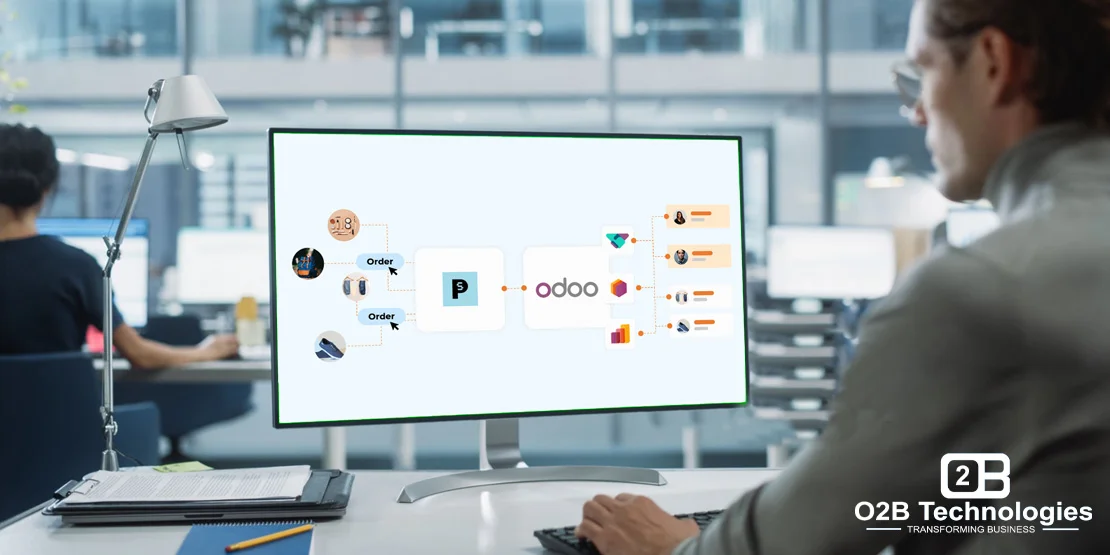
What Is PrestaShop and Why Connect It to Odoo?
PrestaShop is an open-source e-commerce platform that merchants host and manage to run digital storefronts. It provides flexible product catalogs, shopping carts, customer accounts, and payment checkouts. While PrestaShop excels at front-end online shopping experiences, growing businesses quickly outgrow its built-in back-office tools for multi-location inventory, vendor purchasing, and financial accounting.
When you connect PrestaShop to Odoo ERP, your online storefront links directly to your back-office operations. Customer orders, buyer information, and product details flow directly into Odoo, while stock availability and shipment tracking numbers sync back to PrestaShop. This eliminates manual re-entry, avoids overselling across sales channels, and gives finance teams audit-ready records from day one.
Retailers operating multiple digital storefronts often manage similar requirements across channels. In addition to PrestaShop connectors, O2B engineers integrations such as the Odoo Magento connector and the Odoo Amazon connector, helping businesses build scalable architectures for Odoo for ecommerce.
Running PrestaShop and Odoo side by side? Let's sync them.
What the O2B PrestaShop Connector Syncs
The O2B connector connects your PrestaShop store and Odoo database via standard APIs. The table below outlines each primary data entity, the direction of synchronization, trigger events, and specific behaviors:
| Data Entity | Flow Direction | Trigger & Frequency | Integration Details |
|---|---|---|---|
| Products & Variants | PrestaShop → Odoo (or two-way) | Webhook on save or scheduled batch sync | Maps SKUs, barcodes, titles, descriptions, categories, selling prices, attributes (sizes, colors), and tax classifications. |
| Customers & Contacts | PrestaShop → Odoo | Account creation or order checkout | Synchronizes customer names, contact emails, phone numbers, and separates billing and delivery addresses in Odoo Contacts. |
| Sales Orders | PrestaShop → Odoo | Real-time webhook upon order placement | Generates confirmed Sales Orders in Odoo with line items, applied voucher codes, shipping fees, delivery notes, and payment references. |
| Customer Invoices | PrestaShop → Odoo | Automated on payment confirmation | Creates customer invoices in Odoo matched to designated payment journals and attaches the shipment tracking ID for cross-reference. |
| Purchase Orders & Dropship | PrestaShop → Odoo | Draft generation on vendor-fulfilled items | Creates draft Purchase Orders in Odoo with vendor information and customer tracking IDs when products require supplier fulfillment. |
| Inventory & Stock Levels | Odoo → PrestaShop (optional two-way) | Scheduled sync or inventory adjustment | Updates real-time available quantities from selected Odoo warehouses to PrestaShop to prevent out-of-stock orders. |
| Order Status & Tracking | Odoo → PrestaShop | Warehouse delivery validation | Pushes carrier names and tracking numbers back to PrestaShop, updating order status to "Shipped" and alerting buyers. |
Supported Versions and Technical Compatibility
The O2B connector is engineered to maintain compatibility across major versions and hosting configurations:
- PrestaShop Compatibility: Supports PrestaShop 1.7.x and PrestaShop 8.x, utilizing the PrestaShop Webservices API.
- Odoo Compatibility: Fully compatible with Odoo 16, Odoo 17, Odoo 18, and Odoo 19 across both Community and Enterprise editions.
- Hosting Environments: Deploys reliably on Odoo.sh, dedicated cloud infrastructure (AWS, Google Cloud, DigitalOcean), and private on-premise servers.
- Modular Architecture: Built as a clean custom module that does not overwrite core Odoo or PrestaShop files, ensuring smooth future version upgrades.
Pre-Integration Checklist: What to Plan Before You Connect
Before deploying an automated connector between PrestaShop and Odoo, establishing clear business rules prevents data conflicts and accounting discrepancies:
1. Determine Master Data Ownership. Decide which platform is the master record for your product catalog. In most retail setups, Odoo maintains master SKUs, supplier costs, and warehouse stock levels, while PrestaShop manages customer-facing descriptions, product imagery, and promotional tags.
2. Map Tax Rates and Fiscal Positions. Map PrestaShop tax rates (such as state-by-state sales tax or EU VAT rules) to Odoo fiscal positions. This ensures order totals in Odoo match checkout totals exactly and post to the correct general ledger tax accounts.
3. Configure Payment Gateways and Journals. Align each PrestaShop payment method (Stripe, PayPal, credit cards, bank wire) to a corresponding payment journal in Odoo Accounting. This allows finance teams to reconcile bank statements directly against open customer invoices.
4. Align Shipping Methods and Carrier Tracking. Map delivery options (such as FedEx, UPS, USPS, or local delivery) to Odoo delivery carriers. When warehouse teams validate pickings in Odoo, tracking codes flow directly back into PrestaShop customer accounts.
5. Define Order Status Lifecycles. Establish clear status triggers. For instance, define whether PrestaShop orders marked "Payment Accepted" should generate a draft quotation, a confirmed sales order, or an immediate delivery order in Odoo.
A Typical Business Example: Multi-Channel Consumer Goods Retailer
A growing consumer equipment retailer operated their primary online store on PrestaShop, processing hundreds of customer orders each week. While front-end sales were expanding rapidly, back-office administration faced clear operational challenges:
- Customer invoices needed customization based on specific payment methods, but staff were manually re-typing order lines into accounting software.
- The finance team needed shipping tracking numbers linked directly to Odoo invoices to resolve customer billing inquiries quickly.
- Vendor-fulfilled items required draft purchase orders in Odoo so purchasing managers could validate supplier deliveries before issuing payment.
O2B deployed a customized connector module linking PrestaShop directly to Odoo ERP. Through dedicated API endpoints, incoming web orders automatically generate validated sales orders and customer invoices in Odoo based on the payment method selected at checkout. When orders include drop-shipped goods, the connector creates a draft purchase order with the customer tracking ID attached. This integration eliminated over 15 hours of manual order entry each week and prevented invoice reconciliation discrepancies.
If your business requires customized API pipelines, custom field mappings, or multi-store connections, explore our professional Odoo integration services to build an integration architecture tailored to your workflows.
Frequently Asked Questions
Does Odoo have a built-in native connector for PrestaShop?
No. While Odoo Enterprise includes built-in connectors for Amazon, eBay, and Shopify, it does not include an out-of-the-box connector for PrestaShop. Connecting PrestaShop to Odoo requires a connector module or custom API bridge. O2B develops and supports connector solutions for both Odoo Community and Enterprise editions.
Can the connector sync data bi-directionally between PrestaShop and Odoo?
Yes. The connector supports bi-directional data flow. Products, customer profiles, and sales orders sync from PrestaShop into Odoo, while inventory availability levels, order fulfillment statuses, and carrier tracking numbers sync from Odoo back to PrestaShop.
What versions of PrestaShop and Odoo are supported?
The connector supports PrestaShop 1.7.x and PrestaShop 8.x. On the ERP side, it supports Odoo versions 16, 17, 18, and 19 on Community, Enterprise, and Odoo.sh environments.
How are product variants, attributes, and tax rules handled?
PrestaShop product combinations (such as color, size, and material) map directly to Odoo product attributes and variants. PrestaShop tax rules map to Odoo fiscal positions, ensuring every transaction calculates accurate taxes for regional reporting.