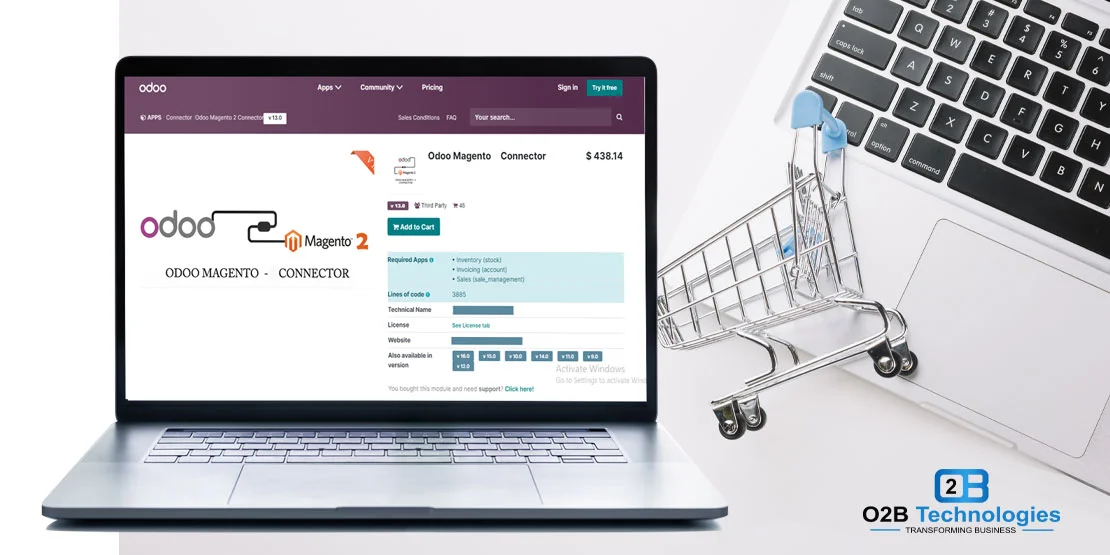
Connecting Magento 2 (Adobe Commerce) with Odoo ERP
For fast-growing ecommerce merchants and established brand retailers, Magento 2 (Adobe Commerce) provides unparalleled storefront flexibility, rich customer journeys, and scalable catalog management. However, as order volumes surge and product catalogs expand, managing back-office fulfillment across disparate systems becomes an operational hurdle. When customer orders, stock adjustments, and invoice data require manual transcription between Magento and accounting software, delays mount and fulfillment errors inevitably follow.
An Odoo Magento connector bridges your Magento 2 frontend directly with your central Odoo ERP database. By automating transactional data flows—from initial order placement and customer profile sync to real-time inventory adjustments and shipping tracking updates—the connector transforms disconnected systems into a cohesive, synchronized retail operation. Whether your business serves direct-to-consumer (D2C) shoppers, wholesale B2B accounts, or multi-brand storefronts, connecting Magento 2 to Odoo ensures your warehouse, purchasing, and finance teams operate from a single source of truth.
Running Magento with Odoo behind it? Let's sync orders and stock automatically.
What Syncs Between Magento 2 and Odoo
Connecting Magento 2 with Odoo creates a bi-directional data bridge between your ecommerce storefront and back-office operations. Rather than treating all updates identically, the connector handles individual data entities according to operational priorities. The table below outlines what syncs, the transfer direction, and practical behavior:
| Data Entity | Direction | Sync Frequency | Operational Details |
|---|---|---|---|
| Orders & Line Items | Magento → Odoo | Automated (5-15 min) | Imports web orders, customer billing/shipping details, line items, applied coupon discounts, shipping charges, and taxes into Odoo Sales. Creates draft or confirmed delivery orders. |
| Customers & Addresses | Magento → Odoo | With Order Placement | Syncs registered customer accounts and guest checkouts into Odoo Contacts (res.partner), matching by primary email address to avoid duplicate records. |
| Products & Catalog | Bidirectional | Catalog Updates | Maps simple, configurable, and bundled products. Syncs SKUs, barcodes, descriptions, attribute sets (size, color), and categories between Odoo and Magento. |
| Prices & Tier Rules | Odoo → Magento | Scheduled / On-Demand | Pushes retail price updates, tier discounts, and customer-group price lists configured in Odoo price lists directly to corresponding Magento store views. |
| Stock Levels | Odoo → Magento | Scheduled or Event-Driven | Syncs available-to-promise inventory quantities from specified Odoo physical warehouses to Magento Multi-Source Inventory (MSI), helping prevent overselling and backorders. |
| Shipments & Tracking | Odoo → Magento | Upon Packing / Dispatch | When warehouse teams validate shipments in Odoo Inventory, carrier tracking numbers and fulfillment dates push to Magento, marking orders complete and notifying buyers. |
| Refunds & Credit Memos | Bidirectional | Upon Issue | Credit memos issued in Magento create corresponding credit notes in Odoo Accounting, and vice versa, keeping revenue ledgers and inventory returns aligned. |
Who Built the Connector? Native vs. O2B Module Deployment
A common point of confusion for merchants exploring ERP options is whether Odoo includes a standard, native Magento connector. Unlike the native Amazon connector app bundled inside Odoo Enterprise, Odoo does not offer an out-of-the-box native Magento application. To establish an automated connection, merchants rely on dedicated connector modules.
At O2B Technologies, our certified development team deploys, configures, and customizes a robust, production-proven Magento 2 connector framework. Rather than forcing rigid assumptions about how your store operates, our engineers tailor data mappings to match your business workflow:
- Multi-Store View Mapping: Connect multiple Magento websites, stores, and language views to designated Odoo operating companies, sales teams, or localized fiscal positions.
- Configurable Product Matrices: Seamlessly translate Magento's parent-child configurable products into Odoo product templates with attribute variants, preserving independent SKU stock counts.
- B2B & Customer Group Rules: Map wholesale customer groups in Adobe Commerce to specialized customer pricelists and payment terms inside Odoo Invoicing.
- Third-Party Logistics (3PL) & Shipping Carriers: Coordinate warehouse transfers with third-party logistics partners or shipping apps (FedEx, UPS, USPS, DHL) managed inside Odoo Inventory.
Setup Basics: Connecting Magento 2 with Odoo
Setting up a stable, high-performance integration between Magento 2 and Odoo follows five structured implementation steps:
- Magento REST API Integration: In Magento Admin, navigate to System > Extensions > Integrations to create a dedicated API user. Grant granular Access Control List (ACL) permissions for Sales, Catalog, and Inventory endpoints, generating secure OAuth bearer tokens.
- Store View & Instance Binding: In Odoo, input your Magento base URL and API credentials. Map each Magento store view to the appropriate Odoo company, currency ledger, and sales team.
- Product SKU & Barcode Alignment: Establish a strict 1-to-1 matching convention between Magento product SKUs and Odoo internal references (
default_code). Consistent SKUs ensure imported orders match existing products without creating duplicate records. - Tax Rules and Shipping Carriers: Map Magento tax rates to Odoo fiscal positions and configure shipping methods to match your Odoo delivery carriers, ensuring exact cost accounting on order lines.
- Automated Cron Schedules & Buffer Thresholds: Configure background scheduled jobs (e.g., pulling orders every 10 minutes and pushing inventory every 15 minutes) and set safety stock buffer thresholds to prevent accidental stockouts during peak promotional sales.
Still Running on Magento 1? Strategic Pathways Ahead
If your online store is still operating on Magento 1, your business faces substantial security and compliance risks. Adobe ceased official support for Magento 1 in June 2020. Running unsupported ecommerce software leaves payment gateways vulnerable, voids PCI-DSS compliance, and risks catastrophic merchant account penalties.
Merchants looking to modernize have two proven paths:
- Upgrade to Magento 2 & Integrate with Odoo: If you rely on advanced Magento front-end extensions, specialized B2B quoting, or complex promotional rules, upgrading to Magento 2 and connecting it to Odoo gives you enterprise-grade store capability backed by powerful ERP inventory and accounting.
- Migrate Directly to Odoo eCommerce: If you prefer to eliminate integration middleware altogether, you can migrate your online store to native Odoo for ecommerce. Running your storefront natively inside Odoo means zero API latency, zero connector maintenance, and complete unification of your shopping cart, inventory, and accounting in one platform.
Multi-Channel Selling: Connecting Magento with Your Wider Ecosystem
Modern brands rarely sell through a single ecommerce channel. Expanding your sales footprint across online marketplaces and alternate storefronts drives revenue growth, provided your back-office operations remain synchronized under a single ERP system.
Explore how O2B Technologies connects your multi-channel sales channels:
- Streamline your marketplace catalog, FBA/FBM orders, and inventory using our Odoo Amazon connector.
- Manage open-source online stores across Europe and North America with our dedicated PrestaShop integration.
- Synchronize other platforms including WooCommerce, Shopify, and eBay using our end-to-end Odoo integration services.