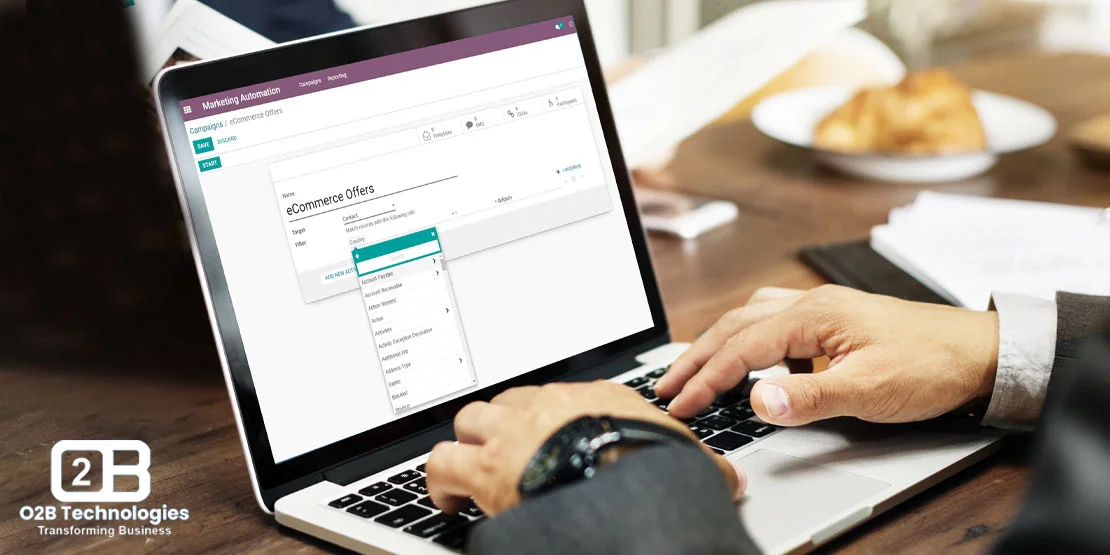
Does Odoo have workflow automation?
Yes. Odoo can automate tasks with Automation Rules, Studio, and built-in approvals. Organizations can streamline routine operations, eliminate repetitive data entry, and establish reliable multi-step approval workflows across every integrated business app.
In modern Odoo releases, automation is built directly into the framework rather than requiring standalone third-party add-ons. The three core tools powering Odoo automation include:
- Automation Rules: Formerly called Automated Actions, these trigger automated field updates, email sends, stage advancements, or Python executions based on record creation, updates, deletions, or scheduled time triggers.
- Odoo Studio: A drag-and-drop no-code builder available in Odoo Enterprise for adding custom automated action buttons, approval rules, and form views without modifying source code.
- Approvals App: A dedicated application for managing multi-tiered managerial sign-offs on purchases, expense reimbursements, travel requests, and operational handoffs.
Looking for Odoo Implementation, Customization, Integration, or Support Services?
The Business Benefits of Workflow Automation
By replacing manual data handoffs with automated rules, organizations achieve greater operational precision and responsiveness:
Increased Efficiency
Automation reduces manual intervention, speeding up transaction cycles and eliminating clerical bottlenecks.
Cost Savings
By automating warehouse tasks, organizations reduce manual labor overhead and redirect staff to strategic work.
Improved Accuracy
Standardized background rules minimize data entry mistakes, ensuring clean records and reliable reporting.
Consistent Policy Enforcement
System-enforced approval rules ensure company purchasing, credit, and operational policies are followed every time.
10 Key Features of Odoo Workflow Automation
Odoo delivers comprehensive automation capabilities through its native architecture. Learn more on our dedicated workflow automation page:
1. Trigger-Based Automations
Actions trigger automatically on record creation, updates, deletions, or status transitions across all Odoo apps.
2. Multi-Level Approval Chains
Route high-value purchases, discounts, or employee leaves through tiered managerial approvals with sequential sign-offs.
3. Automated Email and SMS Alerts
Instantly notify sales reps, warehouse staff, or customers with dynamic template-driven notifications when key events occur.
4. Dynamic Field Updates
Automatically recalculate values, populate default parameters, and update related records without manual intervention.
5. Context-Sensitive Conditional Logic
Apply complex domain filters so workflows execute only when specific conditions, customer categories, or price thresholds are met.
6. Automated Task Scheduling
Create follow-up activities, phone call reminders, or compliance reviews automatically assigned to responsible team members.
7. Cross-App Data Synchronization
Share data across CRM, Sales, Inventory, and Accounting simultaneously to keep departmental ledgers perfectly aligned.
8. Data Validation and Gatekeeping
Prevent incomplete records from advancing past required validation steps until all mandatory fields and criteria are fulfilled.
9. Visual Studio Configuration
Add new action buttons, approval hierarchies, and pipeline rules directly inside Odoo Enterprise Studio without writing code.
10. Real-Time Tracking and Execution Logs
Monitor automation history in the chatter feed to track every automated trigger, status change, and user assignment.
Example: Purchase Approval Workflow in Odoo
To see Odoo automation in practice, consider how a standard enterprise procurement rule works:
Automated $5,000 Purchase Order Approval Rule
1. Trigger: A buyer drafts an order for industrial equipment totaling $6,200. Because the amount exceeds the $5,000 threshold, Odoo automatically sets the status to 'To Approve' and locks the record.
2. Notification: The procurement director receives an automated email and in-app activity alert requesting authorization.
3. Execution: Once approved with one click, Odoo automatically confirms the Purchase Order, sends the signed PDF directly to the vendor, and generates the incoming receipt in the Inventory app.
6 Real-World Automation Use Cases
Organizations implement Odoo automation across varied operational departments:
1. Sales Pipeline and Lead Scoring
Automatically qualify web leads, calculate lead priority, and assign opportunities to sales reps by region or product category.
2. Inventory Reordering and Stock Alerts
Trigger automated purchase requests or supplier orders whenever warehouse stock hits minimum safety levels.
3. Employee Onboarding and Leave Approvals
Assign IT setup tasks and training checklists to new hires while routing vacation requests directly to department managers.
4. Automated Vendor Purchase Orders
Convert confirmed customer sales orders into vendor drop-shipment orders or manufacturing work orders automatically.
5. Customer Support Ticket Routing
Route incoming customer inquiries to specialized support queues, assign response deadlines, and escalate unresolved tickets.
6. Project Milestone and Task Allocation
Trigger follow-on design or testing tasks immediately after earlier development milestones are marked complete.
Setting Up Workflow Automation in Odoo
Simple triggers can be configured in minutes using Odoo Studio or Automation Rules. For multi-model business logic, custom API integrations, or proprietary approval algorithms, professional development ensures changes remain upgrade-safe. Explore our Odoo customization services to design reliable automation for your enterprise.
Frequently Asked Questions
Does Odoo have workflow automation?
Yes. Odoo can automate tasks with Automation Rules, Studio, and built-in approvals across sales, inventory, purchasing, accounting, and customer support.
Do I need to write Python code to automate workflows in Odoo?
No. Odoo Automation Rules and Odoo Studio provide powerful no-code triggers, field updates, email actions, and approval gates. For advanced custom logic or external webhooks, developers can also add Python code.
Can Odoo automations trigger actions across different apps?
Yes. Because Odoo shares a centralized modular database, an event in one module (such as confirming a sales quotation) can immediately trigger stock reservations in Inventory, schedule activities in CRM, and generate draft invoices in Accounting.