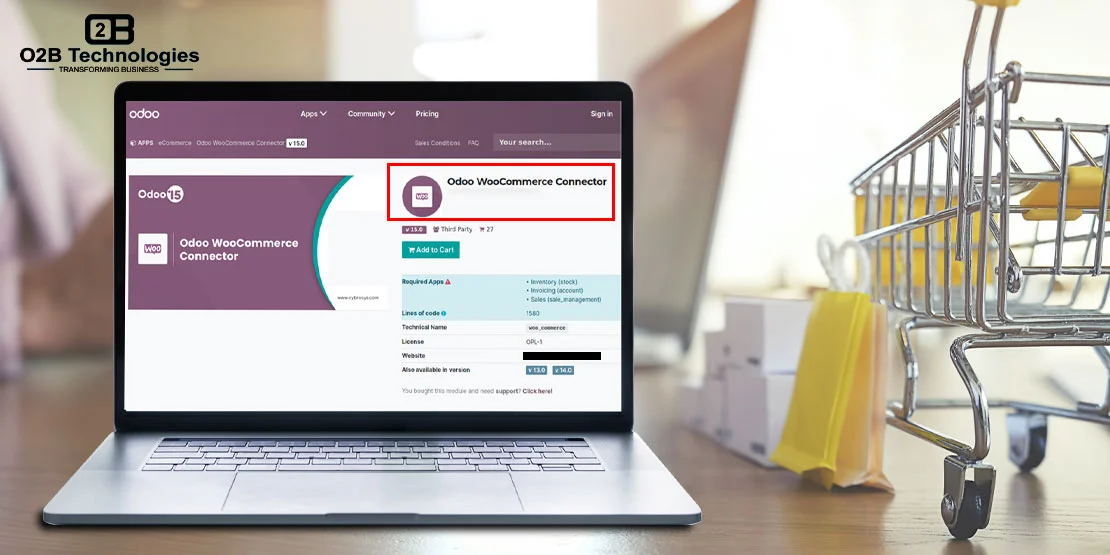
WooCommerce runs the storefront. Odoo runs purchasing, stock and accounting. The connector is the piece in between: it moves products, orders and stock between the two so the team does not re-key the same data twice.
One thing to clear up first: Odoo does not ship a standard WooCommerce connector in core or Enterprise. Stores either install a third-party module from the Odoo Apps Store or use a custom connector built around their setup. O2B works with both routes, and this guide covers what each one syncs, how setup works, and where it usually goes wrong. If you want the build handled, our Odoo integration services team scopes and tests the connection.
What the Odoo WooCommerce Connector Syncs
Exact coverage depends on the connector, but a working WooCommerce integration usually handles these six areas:
| What syncs | What moves |
|---|---|
| Products and variants | SKU, attributes, descriptions and images. Simple products are straightforward; variable products need matching attribute values on both sides. |
| Orders | Line items, totals, tax, shipping and status. New WooCommerce orders are imported as Odoo sales orders, where invoicing and fulfilment continue. |
| Customers | Contact and address data, usually matched by email so a repeat buyer is not created twice. Guest checkout needs its own rule. |
| Stock levels | Quantity per SKU and warehouse. The connector pushes available stock after sales, receipts and adjustments, on the schedule you set. |
| Prices | List and sale prices. Tier pricing, customer-specific prices and currency rules usually need a module that supports them or a custom build. |
| Order status and tracking | Shipment state and tracking numbers written back to WooCommerce, so the customer sees the update without staff copying numbers by hand. |
The sync is scheduled or triggered by a stock or order event; it is not instant. Most implementations run orders every few minutes and stock on change or on a short interval. That delay is the first thing to agree on, because it affects overselling risk during a busy sale.
Two-way sync: New WooCommerce orders come into Odoo as sales orders, and order status, stock levels, and tracking numbers go back to WooCommerce so the storefront stays in sync.
Multi-currency and multi-company: Depending on the connector and your Odoo setup, the integration can support multiple currencies and multi-company configurations. Confirm supported scope with your team during scoping.
Automatic order workflow: Orders imported from WooCommerce can automatically create deliveries and invoices in Odoo, reducing manual entry and keeping fulfilment and billing in one place.
Your Connector Options
There are two realistic paths. O2B does not publish its own module on the Apps Store; we configure and test a maintained third-party connector when it fits, and build a custom one when it does not.
| Option | Good for | Watch out for |
|---|---|---|
| Odoo Apps Store module (third party) | Standard product, order and stock sync for a single store and a supported Odoo version. | Check Odoo version support, WooCommerce plugin compatibility, whether support is included, and what happens when Odoo upgrades. |
| Custom connector by O2B | Several stores or warehouses, bundles, special pricing, subscriptions, custom checkout fields or approval workflows. | Needs a short scoping call first. Budget for ongoing maintenance when either platform changes. |
What Can Be Customized
When standard connector modules fall short, custom development allows you to tailor the data exchange to your unique business workflows:
- Custom fields: Map proprietary metadata, custom checkout fields, delivery notes, and gift messages between WooCommerce and Odoo records.
- Complex pricing rules: Support multi-tier B2B price lists, volume discounts, customer-specific pricing structures, and dynamic currency conversions.
- Advanced reporting: Aggregate sales analytics, tax breakdowns, and profit margins into custom Odoo dashboards across multiple storefronts.
- Workflow automation: Automate multi-warehouse order fulfillment routing, automated drop-shipping dispatches, and backorder purchase orders.
- Third-party apps: Connect bespoke WooCommerce plugins, loyalty platforms, and external shipping carriers directly with Odoo operations.
Our Odoo development services team delivers tailored connectors through a proven five-stage process: assess → build → test → train → support.
Setup Steps
- Create WooCommerce REST API keys. In WooCommerce, go to Settings → Advanced → REST API and create a read/write key. The store must use HTTPS, and the key should belong to a dedicated integration user.
- Map products by SKU. Give every product and variant a unique SKU on both sides. Decide which system is the source for new products and for descriptions, then match variants by attribute values, not by product name.
- Pick the warehouse. Choose the Odoo warehouse or stock location that fulfils WooCommerce orders. If more than one location ships, agree the allocation rule before the first import.
- Set the sync schedule. Orders every few minutes, stock on change or on a short interval, prices only when a price list changes. Write the schedule down so support knows what "synced" means.
- Test with a few real orders. Run a paid order, a refund, a cancellation and an out-of-stock product. Confirm stock moves once, the invoice matches, tax is right, and the tracking number returns to WooCommerce.
Common Problems
- Duplicate SKUs. Duplicates create duplicate products or silent matches to the wrong item. Clean the catalogue before the first sync.
- Variant mapping. If attribute names or values differ between WooCommerce and Odoo, variants can be skipped without an obvious error.
- Tax setup. WooCommerce tax rules and Odoo fiscal positions are not the same model. Decide whether catalogue prices include tax, and check a taxed order in both systems.
- Stock drift. Orders placed while the sync is paused, manual adjustments in either system, and returns all move stock outside the connector. Pick one system as the source of truth.
- Plugin conflicts. Subscriptions, product bundles, custom checkout fields and warehouse plugins often need custom mapping, not a standard field match.
- Version support. A module that works on one Odoo version may not be updated for the next. Check the upgrade path before you depend on it.
Multi-Location Stock: Inventory Across Several Locations
When an eCommerce business operates multiple storage facilities—such as regional fulfillment hubs, retail backrooms, or 3PL facilities—maintaining synchronized inventory is critical to preventing overselling and delivery delays. WooCommerce by default treats inventory as a single global count unless configured with location-based extensions. However, managing separate stock plugin databases creates synchronization bottlenecks and inventory drift.
With the O2B Odoo WooCommerce connector, Odoo Inventory acts as the single source of truth for all warehouse locations. Each physical warehouse, retail shop, or drop-ship partner is mapped directly to corresponding Odoo stock locations. The connector continuously synchronizes live quantities between your storefront and fulfillment nodes:
- Real-Time Location Sync: As orders are booked or receipts arrive, Odoo pushes aggregated available-to-promise inventory or location-specific stock to WooCommerce store displays.
- Smart Order Routing: Incoming WooCommerce orders automatically route to the optimal warehouse in Odoo based on proximity to the customer delivery address and live stock availability.
- Automated Split Shipments: If an order contains items located across different warehouses, Odoo generates distinct picking and delivery orders while keeping WooCommerce customer tracking unified.
- Automated Replenishment: Inter-warehouse transit orders and automated reordering rules prevent stockouts in satellite warehouses before levels hit zero.
Real-World Example: Proximity-Based Multi-Warehouse Fulfillment
Consider an omnichannel retailer operating distribution warehouses in Austin and Chicago. When a customer in Dallas places an order on WooCommerce, the O2B connector transfers the order to Odoo, which automatically assigns fulfillment to the Austin warehouse because it is closer. If Austin is temporarily out of stock for a particular SKU, Odoo's automated routing either fulfills from Chicago or splits the delivery—ensuring the customer receives their order in the shortest transit time at the lowest shipping cost, without manual staff intervention.
For deeper inventory strategies and warehouse optimization, explore our guides on ERP inventory management and Odoo for eCommerce.
O2B Example: Price Sync from Google Sheets
We do not have an approved WooCommerce client story to publish yet, so here is a related example. A distributor kept cost and selling prices in Google Sheets and updated Odoo and the web store by hand. O2B built a scheduled sync from the sheet into Odoo price lists, with a validation step before changes went live.
That project is a pricing-sync example, not a WooCommerce connector. The same mapping discipline applies: agree the source, validate the data, then schedule the push. You can read the setup in our Google Sheets and Odoo integration guide.
Running WooCommerce and Odoo? Talk to O2B's team in Austin about your connector.
Frequently Asked Questions
Does Odoo have a built-in WooCommerce connector?
No. Odoo does not ship a standard WooCommerce app in core or Enterprise. Stores use a third-party module from the Odoo Apps Store or a custom connector built for their setup.
Can Odoo sync stock across WooCommerce and other channels?
Yes. Odoo can act as the stock source and push available quantities to WooCommerce and other channels. The sync runs on a schedule or on stock moves, so the frequency and rules need to be configured.
Will the connector work with my Odoo version?
It depends on the module. Third-party connectors usually support specific Odoo versions, and older versions may need a custom build. Support is confirmed during scoping before the project starts.