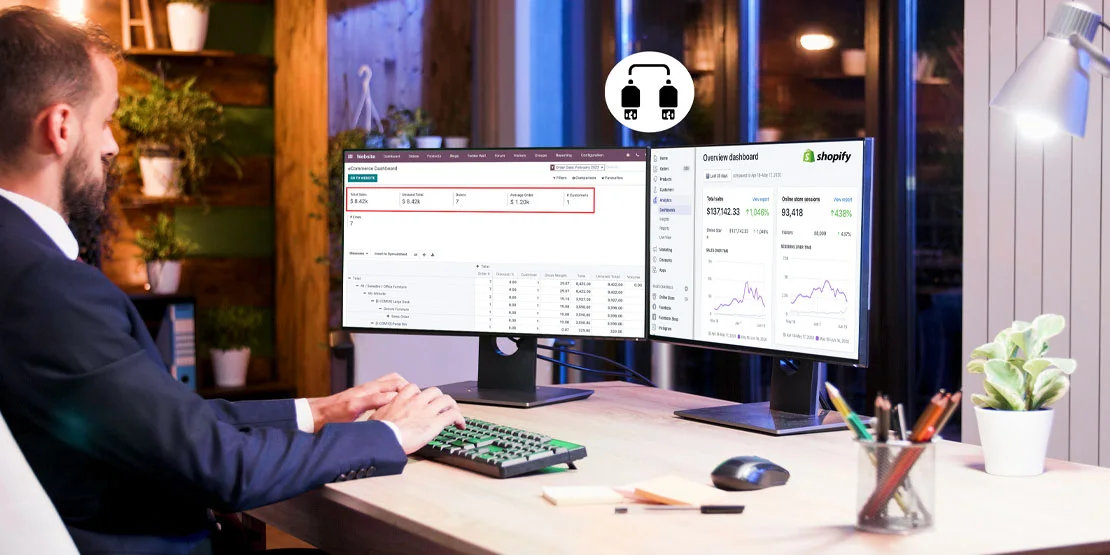
Shopify runs the storefront. Odoo runs stock, purchasing, shipping and accounting. When the two are not connected, someone re-types every order into Odoo and every price or stock change back into Shopify.
This guide covers the integration itself: what data moves, in which direction, how often, and what to settle before you connect a store. Odoo does not ship a standard Shopify connector in most versions, so the connector is a third-party module or a custom build. If you want that scoped for your store, our Odoo integration services team does the implementation and the testing.
Why Connect Shopify to Odoo
A connector is worth it when Shopify is the sales channel but Odoo is where the business is actually run. The gains are practical:
- One stock pool. Shopify sells from the same quantities Odoo holds, so the storefront does not keep selling an item that has already left the warehouse.
- Orders become Odoo documents. A paid Shopify order creates a sale order in Odoo, then an invoice and a delivery order, without retyping the customer, lines or shipping address.
- Purchasing sees demand. Reordering rules work from real sales instead of a spreadsheet updated at month end.
- Accounting gets the sale, refund and tax. Revenue, credit notes, taxes and shipping land in Odoo's books instead of being reconstructed from a Shopify export.
- Customer history in one place. A buyer's orders, returns and invoices sit on one Odoo contact record.
If your storefront is Odoo itself rather than Shopify, start with Odoo for ecommerce instead; there is nothing to connect.
What Syncs Between Shopify and Odoo
The exact field map belongs to the connector you buy, not to Odoo. The table below is the pattern most Shopify–Odoo modules follow; check the directions against the seller's documentation before you commit, because some modules only push, some only pull, and some do both.
| Data | Typical direction | Typical frequency |
|---|---|---|
| Products, variants, images, prices | Odoo → Shopify | On save, or queued in batches |
| Stock levels | Odoo → Shopify | After a stock move, throttled by the connector |
| Orders, with payment and shipping details | Shopify → Odoo | On order creation, or every few minutes |
| Customers | Shopify → Odoo | With the order, matched on email |
| Tracking numbers | Odoo → Shopify | When the delivery is validated |
| Refunds and cancellations | Shopify → Odoo | When the refund is recorded in Shopify |
Two rows cause most of the support tickets. Stock is a one-way push in most modules: overselling still happens if Shopify keeps its own inventory and the connector lags. Customers are matched on email, so guest checkouts and shared inboxes create duplicate contacts unless someone sets the rule up front.
How Often Data Syncs
Frequency is a connector setting, not an Odoo feature. There are three common patterns:
- Scheduled job. The connector runs every few minutes and pulls new orders, then pushes stock. This is the most common setup and the easiest to support, because failures can be re-run.
- Webhooks for orders. Shopify calls the connector the moment an order is created, so orders arrive without waiting for the next poll. Stock pushes still usually run on a schedule.
- Manual or nightly. Cheaper modules sync on demand or once a night. Fine for low order volume, painful if you sell limited stock.
Ask the seller two questions before you buy: how often stock is pushed, and what happens to an order that fails mid-sync. A connector that logs failures and can replay them is worth more than one that promises "instant" updates.
Multi-Store Setup
One Odoo database can serve several Shopify stores, but only if the connector supports it. Each store needs its own mapping so the data does not mix:
- Store record. Each Shopify store is registered separately in the connector, with its own API credentials.
- Price lists. Store-specific price lists let the same product sell at different prices, currencies or discount levels per storefront.
- Warehouses and routes. Assign each store a default warehouse or delivery route so stock is reserved and shipped from the right location.
- Reporting. Orders carry the store as a sales channel or tag, so revenue and margin can be reported per store inside Odoo.
Running Multiple Shopify Stores with Dedicated Odoo Price Lists
Operating several Shopify stores—such as separate storefronts for retail B2C, wholesale B2B, or regional international markets—is common as brands scale. With Odoo's advanced pricelist engine, you can maintain distinct pricing structures across several connected Shopify stores within a single database. Each store maps to its own Odoo pricelist, allowing you to configure channel-specific base prices, currency conversions, volume-tier discounts, and promotional campaigns without duplicating your product catalog. When an order imports from a specific storefront, Odoo applies that store's assigned pricelist and local tax rules automatically, keeping profit margins consistent and multi-store reporting clean.
If you also sell on marketplaces, the same logic applies to the Odoo Amazon connector and the Odoo eBay connector: one Odoo, several channels, each with its own mapping.
Accounting: Sales, Refunds, Taxes and Shipping
The accounting side is where a connector earns its money, and where a careless setup creates cleanup work:
- Sales. Each Shopify order should create an Odoo sale order and, depending on the module, an invoice. Confirm whether invoices are generated automatically or on delivery.
- Refunds and cancellations. They should produce a credit note or a return, not an edited invoice. Check that partial refunds carry the right lines and taxes.
- Taxes. Shopify calculates tax for the storefront; Odoo records it for the books. Map the tax rates explicitly, and decide which system is authoritative for each jurisdiction.
- Shipping. Shipping charged to the customer is usually a product or service line; the carrier cost is a vendor bill. Both need an account before the first order arrives.
- Payment fees. Shopify Payments or PayPal fees are not sales revenue. Give them their own account so the bank reconciliation is not a guessing game.
- Order and payout posting. Paid Shopify orders automatically generate validated invoices that post to your accounts receivable journal, while lump-sum Shopify Payments payouts are matched against individual customer transactions and gateway processing fees during automated bank reconciliation in Odoo Accounting.
How Shopify orders and payouts post to Odoo Accounting determines how much time your finance team spends reconciling transactions at month end. With automated posting configured, every online sale, tax liability, and gateway fee lands directly in the right general ledger accounts.
Get your accountant to sign off on that mapping before go-live. Changing it after a few hundred orders means reworking journal entries. If you are planning a multi-store setup or need custom accounting workflows, our Odoo integration services team can manage the configuration.
Who Built the Connector, Versions and Support
Odoo has no standard Shopify app in most versions. That leaves two routes:
- A third-party module. Found on the Odoo Apps Store or sold directly by a vendor. Before buying, check which Odoo versions it lists, when it was last updated, whether it supports multi-store and multi-currency, and whether the price includes updates. Version support is set by the seller, not by Odoo, and a module that works on Odoo 17 will not necessarily install on 18 or 19.
- A custom build. A connector written against the Shopify Admin API and Odoo's external API. More work up front, but it matches your data model exactly and you own the behavior. This is what O2B builds when an off-the-shelf module cannot handle the mapping.
On most projects the connector is a third-party module rather than a product O2B publishes. We implement and configure it, test the sync against your catalog, and support the result; where a module falls short, we build the custom pieces. Hosting matters too: a third-party module can be installed on Odoo.sh or a self-hosted database, while Odoo Online restricts custom modules, so confirm that before you choose a plan. The sync interval itself is a setting in whichever module you use; see How Often Data Syncs above for the realistic options.
What to Plan First
- Which system owns product data. Decide whether Odoo or Shopify is the master for names, descriptions, prices and images. Editing both sides guarantees conflicts.
- SKU matching. Use the SKU, not the product name, as the key between systems. Clean duplicates and blank SKUs before the first sync, not after.
- Taxes. Agree the rate mapping and who recalculates after a rate change.
- Locations. Choose the Odoo warehouse and location that fulfills each store's orders, especially if you hold stock in more than one place.
- Returns. Decide how refunds, exchanges and restocking fees appear in Odoo before the first one happens.
- Ownership after go-live. Name the person who checks failed syncs and the person who approves price pushes. Connectors fail quietly; someone has to look.
Selling on Shopify and re-typing orders into Odoo?
Let's sync them.
Frequently Asked Questions
Does Odoo have a built-in Shopify connector?
Not as a standard app in most Odoo versions. You need a connector module, either a third-party one from the Odoo Apps Store or a custom build that uses the Shopify Admin API and Odoo's API.
Can I run several Shopify stores with one Odoo?
Yes. A connector that supports multi-store lets you map each Shopify store to its own price list and warehouse, so orders, stock and reporting stay separated by store inside one Odoo database.
Does stock update instantly between Odoo and Shopify?
It depends on the connector. Many connectors push stock changes on a schedule, every few minutes, rather than instantly. Ask the seller what the sync interval is and how conflicts are handled before you rely on it.