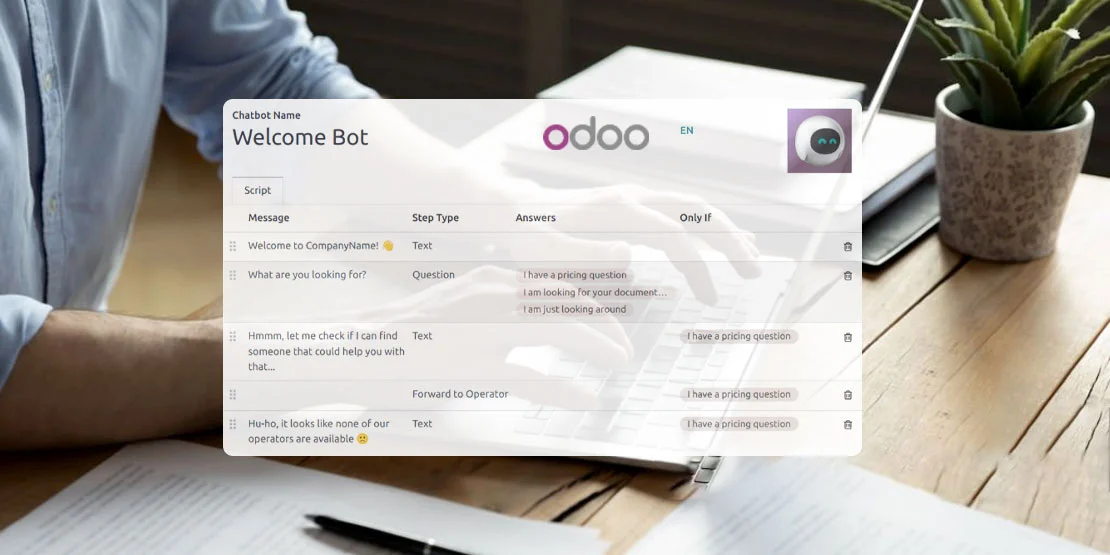
What an Odoo AI Chatbot Can Do
O2B Technologies sets up and builds AI chatbots that answer customers and staff using live data from your Odoo: orders, stock, invoices and tickets — on your website, WhatsApp or inside Odoo for your team. The bot answers common questions 24/7, so customer-support time goes to the conversations that actually need a person.
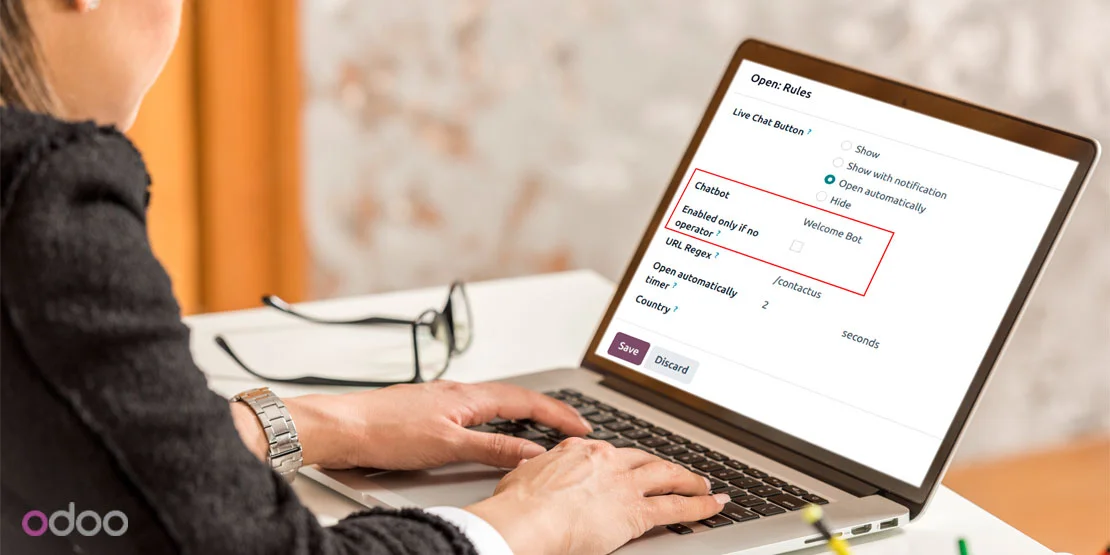
Odoo's Built-In Chatbot vs a Custom AI Chatbot
Odoo already ships with a chatbot. The Live Chat app lets you script questions and answers, and route visitors to a person. A custom AI chatbot does more: it answers free-text questions and pulls live data from Odoo. Here is the difference:
| Odoo's built-in Live Chat chatbot | Custom AI chatbot from O2B | |
|---|---|---|
| Answers | Scripted questions and answers you set up in Odoo | Understands free-text questions using an AI model |
| Data | Good for simple FAQs and routing to a person | Looks up live Odoo data: order status, stock, invoice balance |
| Channels | Website only | Website, WhatsApp, or inside Odoo for staff |
| Setup | Included with Odoo | Built and connected by O2B to fit your process |
Most projects get the best of both: a scripted bot in Live Chat for simple FAQs, with an AI layer on top for the questions that need real data. If you also need Odoo connected to other systems, the same integration team handles that.
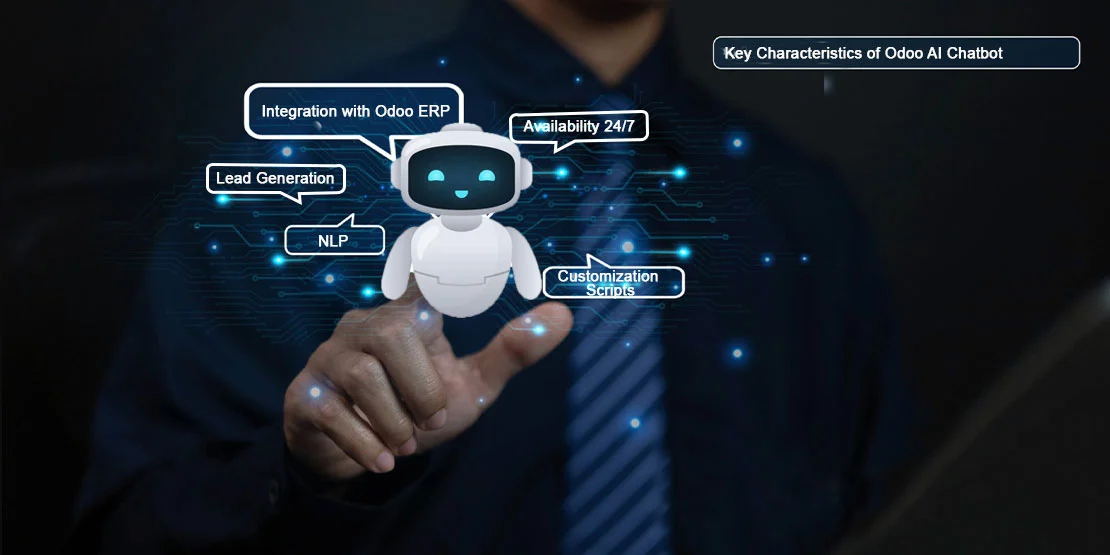
What We Build
Every chatbot O2B builds connects to the Odoo apps you already use, and is built around what your team needs:
Live answers from Odoo data
The bot answers questions like "where's my order?", "is this in stock?" or "what's my balance?" using the current record in Odoo and respective app data. For store operations, that means the eCommerce store and the ERP stay one connected system.
Lead capture into your CRM
The bot qualifies visitors with a few short questions and creates a lead in your Odoo CRM when the visitor is ready.
Support hand-off to Helpdesk
Questions the bot can answer end there. For the rest, the bot creates a Helpdesk ticket and hands the conversation to a person in your team.
WhatsApp and staff channel
Same bot, multiple channels: website chat, WhatsApp Business, or internal chat for sales and warehouse staff to ask about stock, prices or customers. If you also need a custom development beyond the chatbot itself, the same team builds it.
Common Uses
Four short scenarios our clients' bots handle every day:
Order and delivery status
Customers ask "where's my order?" and get the live answer from Odoo Sales and Inventory instead of waiting for a reply email.
Lead capture
The bot qualifies visitors and creates a CRM lead with the details Sales needs to follow up.
Support
Answers common questions first, and when the request needs a person, the bot creates a helpdesk ticket and hands off.
Staff assistant
Sales or warehouse staff ask about stock, prices or customers in chat and get the answer from Odoo directly instead of switching screens.
How We Set It Up
Five steps, one or two weeks to first launch depending on channels:
1. Pick the questions the bot should answer
We look at what your support inbox and sales team get asked most, and pick the set of questions the bot needs to handle first.
2. Connect it to the right Odoo data
The bot gets access to the Odoo fields it needs to answer, with limits on what it can see for each customer.
3. Train it on your FAQs, policies and product info
Your documents, FAQs and product data shape how the bot answers, so replies reflect how you actually do business.
4. Test with real questions and set hand-off rules
We test with real questions from your inbox, then set the rules for when the bot hands a conversation to a person.
5. Launch and review monthly
After launch we review conversations monthly and tune the answers, so the bot keeps improving.
Data Privacy and Control
An AI chatbot in your business is only safe if you control what it sees and says:
The bot only sees the Odoo data you allow, not your whole database.
Customers only see their own orders, after verification.
Conversations are logged in Odoo, so you always have a record.
We say which AI provider the bot uses, and business data is not used to train public models.
Odoo AI Chatbot FAQs
Does Odoo have a built-in chatbot?
Yes. Odoo Live Chat includes a chatbot that answers scripted questions you set up and passes visitors to a live agent. It works well for simple FAQs and routing. For free-text questions and answers using live Odoo data such as order status, stock or invoices, O2B builds and connects a custom AI chatbot.
Can the chatbot see live order and stock data?
Yes. The chatbot is connected to the Odoo data you allow, so customers can ask about their order status, stock availability or invoice balance and get the current answer, not a guess. Access is limited to exactly what the bot should see.
Can it work on WhatsApp?
Yes. The same chatbot can run on your website or WhatsApp Business, and inside Odoo for your staff, so customers can ask the same questions wherever they are.
Is customer data safe with an AI chatbot?
The bot only sees the Odoo data you allow, and customers only see their own orders, which we verify on each request. Conversations are logged in Odoo. Business data stays in your own configured AI service and is not used to train public models.
What happens when the bot can't answer?
The bot recognizes when it cannot answer. It hands the conversation to a person in Odoo and can create a helpdesk ticket so nothing falls through the cracks.