Odoo QuickBooks Integration
Connect Odoo with QuickBooks to Improve Accuracy


QuickBooks was specifically made for small and mid-sized businesses that do not have formal accounting training.
O2b Technologies offer you integrating QuickBooks with Odoo ERP. Moving off QuickBooks completely? See our QuickBooks to Odoo migration service.
Odoo is web-based, so you can manage your accounting from anywhere with an internet connection. The client gets real-time results and reports as and when required which allows you with effective and efficient decision making for the business operations.
Odoo QuickBooks connector can integrate Odoo with QuickBooks quickly and cost-effectively and make the workflow seamlessly smooth.
Community and Enterprise
QuickBooks Online
One-time fixed fee, no monthly subscription
O2b Technologies helps you get the maximum benefits out of Odoo ERP QuickBooks integration with the presence of a certified team of experts who matches your requirements at every single step.
The connector provides a bi-directional channel where data flows in both directions and automates the workflow of the business.
QuickBooks integration with Odoo ERP helps you to exchange the data between the two tools and it can be used for your accounting software without disturbing the current accounting department.

Our connector works with QuickBooks Online. Intuit stopped selling QuickBooks Desktop Pro, Premier and Mac to new US customers in September 2024; only Desktop Enterprise is still sold. If you run Desktop, talk to us about connecting it or moving to Odoo.
Odoo and QuickBooks both stay. Odoo runs sales, inventory and operations; QuickBooks keeps the books. Data syncs between them.

We at O2b Technologies ensures the following features of the Odoo QuickBooks Connector module:
QuickBooks Odoo Connector is a designed and developed module that helps in connecting Odoo with QuickBooks Online.
QuickBooks Online (QBO) is a largely used account management application. QuickBooks Online Odoo Connector will assist you to integrate odoo with QBO to manage your inventory from the odoo sides effectively and efficiently.
O2b Technologies comes up with Odoo QuickBooks Connector that supports the import and export of the below-mentioned items:
QuickBooks integration with Odoo ERP helps you to exchange the data between the two tools and it can be used for your accounting software without disturbing the current accounting department.

| Data | Odoo → QuickBooks | QuickBooks → Odoo |
|---|---|---|
| Customers | ✓ | ✓ |
| Vendors | ✓ | ✓ |
| Products / items | ✓ | ✓ |
| Chart of accounts | ✓ | ✓ |
| Tax codes & rates | ✓ | ✓ |
| Sales orders | ✓ | ✓ |
| Purchase orders | ✓ | ✓ |
| Invoices | ✓ | ✓ |
| Payments (attached to invoices) | ✓ | ✓ |
| Payment terms | ✓ | ✓ |
| Payment methods | ✓ | ✓ |
| Employees | ✓ | ✓ |
| Departments | ✓ | ✓ |
Works with QuickBooks Online.
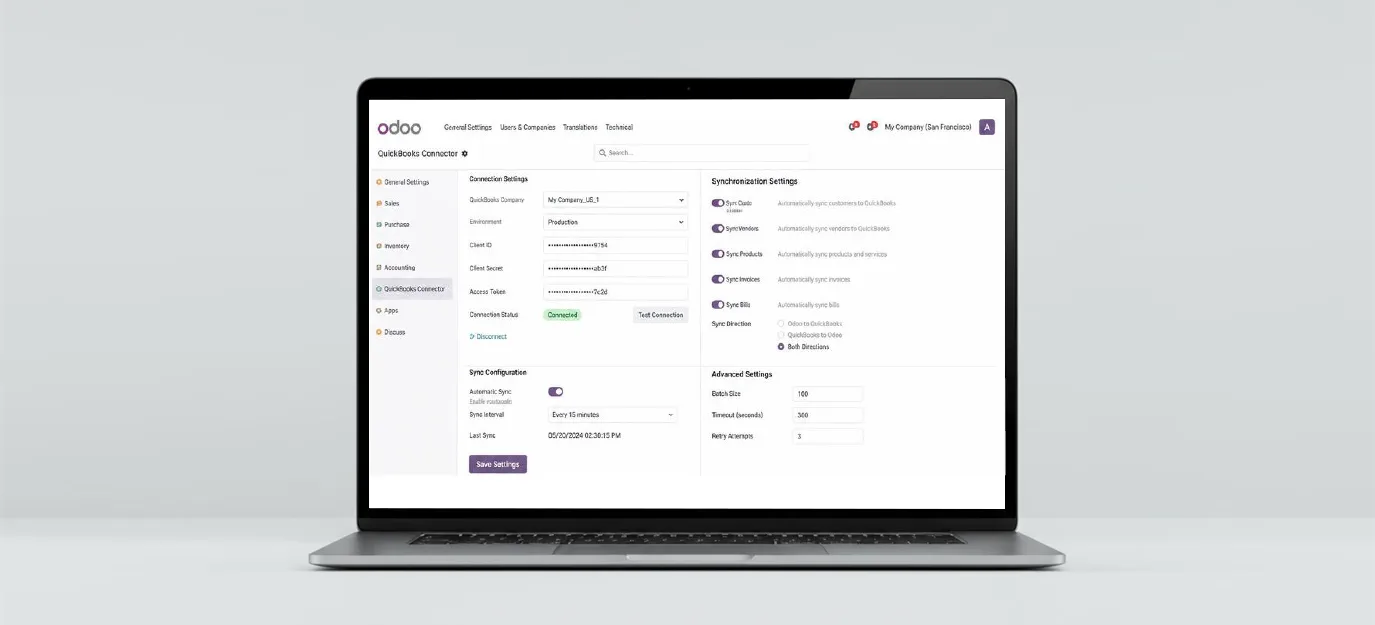
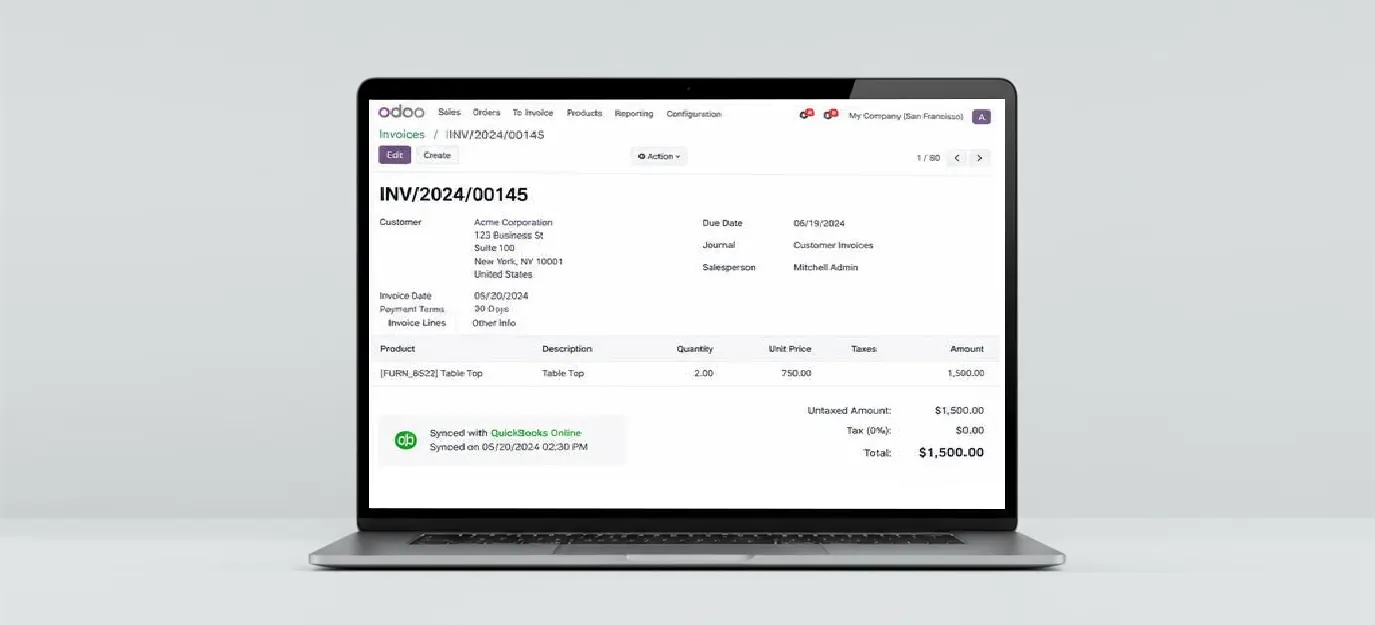
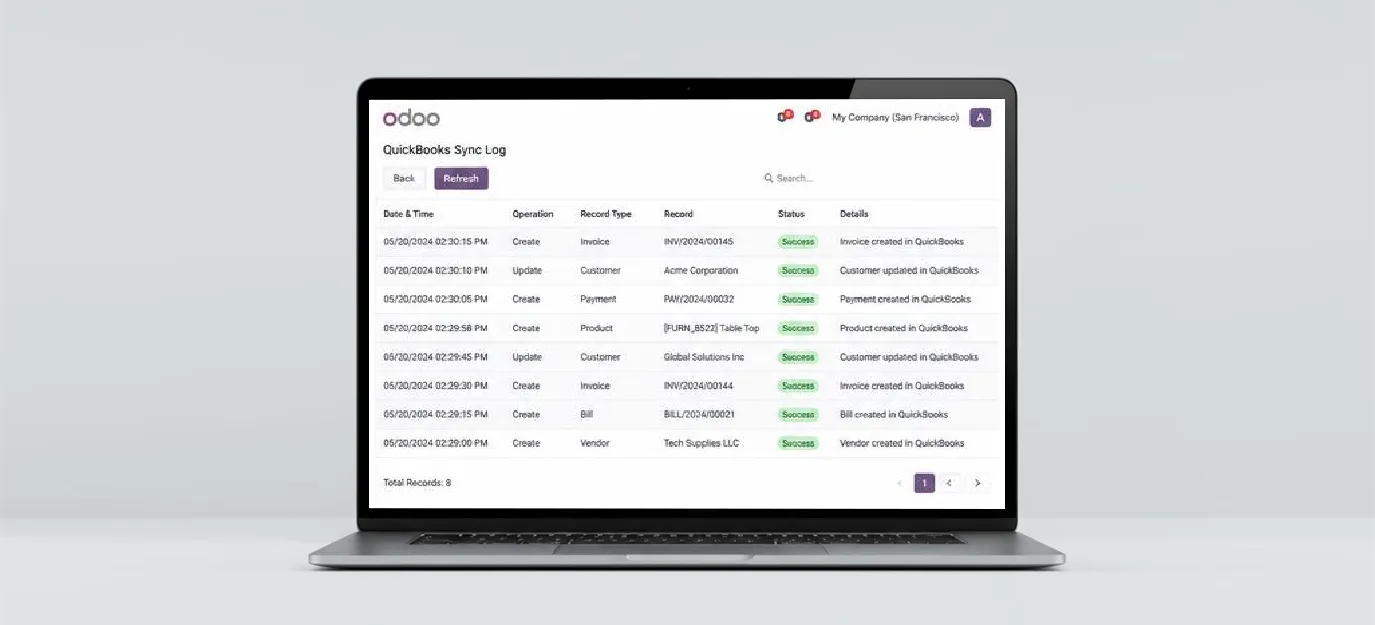
Many businesses want Odoo for sales, inventory or manufacturing but want their accountant to keep working in QuickBooks. The connector keeps both in sync, so nobody re-types invoices or payments.
It works with QuickBooks Online. For QuickBooks Desktop Enterprise, ask us about setup options.
Yes, both.
A one-time fixed fee for setup, not a monthly subscription. We confirm the fee after a short call about your data.
Integrate if you want to keep QuickBooks. Migrate if you want to move all your accounting into Odoo; see our migration service.