Choosing an ERP system is a big decision. For many growing companies, the question isn't just about features — or even prices. It's about operational depth: whether the system fits how your business actually runs.
Is Odoo right for my business, or am I about to overbuy something too complex for my needs?
It's a fair concern; ERP systems have a reputation for being expensive, complicated, and built only for large enterprises. But modern ERP platforms like Odoo have changed that narrative. Still, not every business needs a full ERP, and not every stage of growth justifies one.
What does “overbuying an ERP” actually mean?
ERP overbuying happens when a company invests in:
- Features it doesn't use
- Complexity it doesn't need
- Infrastructure it can't manage
- Processes it isn't ready to adopt
The results? Low adoption, high costs, and frustration.
Understanding ERP overbuying risks is essential before evaluating any systems, including Odoo.
Is Odoo right for you? The 2026 checklist
Most companies asking “Is Odoo right for my business?” are describing one of two very different situations. Tick the boxes on the side that describes you.
Odoo is probably right if…
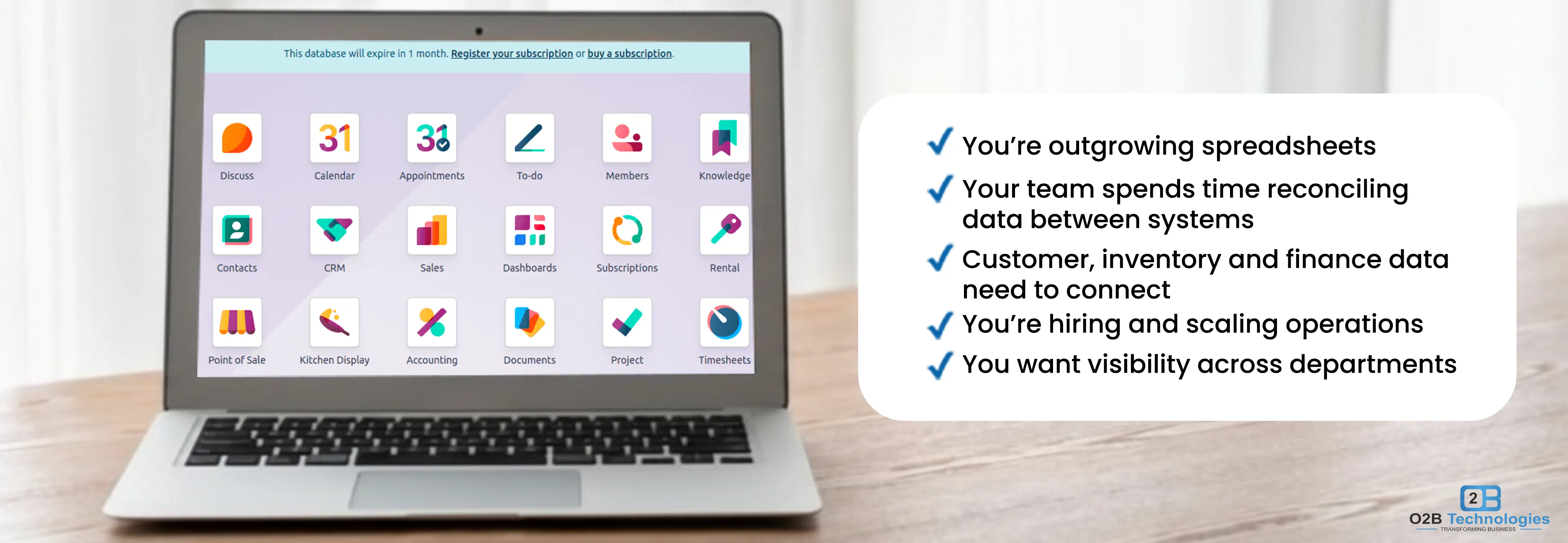
- Your sales, stock and books live in separate tools
- You re-key data between systems every week
- Month-end reporting is manual
- You're hiring or adding a location
- You've outgrown QuickBooks or spreadsheets
You may be overbuying if…
- You only need invoicing and basic bookkeeping if that's all you need
- You're a solo operator with simple billing
- You don't plan to grow in the next 2–5 years
- Your team won't follow set processes yet
- A tool like QuickBooks still does the job
If your biggest business problem is a lack of integrations, Odoo is likely a fit. If your biggest problem is lead generation, or even the market demand for what you sell, ERP won't fix that.
The real question isn't cost — it's readiness.
Many companies ask, “Is Odoo right for my business?”, when the deeper question is whether their processes are ready for an ERP at all.
Still running on QuickBooks or spreadsheets? See what moving off QuickBooks actually involves before you decide.

Odoo ERP for small business: Is it too much?
A common misconception is that ERP is only for large corporations. In reality, Odoo ERP for small businesses is one of its strongest use cases. If you are still weighing tools, it helps to know what ERP software actually covers and how small and medium businesses put it to work.
Why Odoo rarely means overbuying
Because Odoo is modular. You don't need to implement everything at once.
A small business can start with
And expand later into:
The modular structure reduces the traditional barriers to ERP adoption.
Understanding Odoo ERP suitability
Evaluating Odoo ERP suitability isn't about company size alone. It's about operational complexity.
ERP introduced accountability, data discipline, and even workflow consistency. If leadership supports that shift, Odoo can be transformative. If leadership expects software to even fix unclear processes, adoption will struggle on any platform.
ERP is not just software; it's a commitment to structured operations
Odoo vs other ERP systems: Is it overkill compared to alternatives?
When comparing Odoo vs other ERP systems, overbuying concerns usually relate to enterprise platforms like SAP or Oracle.
Traditional ERP systems also often involve:
- High upfront licensing
- Heavy customization
- Long implementation timelines
- Rigid architecture
Odoo differs because it:
- Offers flexible pricing
- Allows phased implementation
- Supports the customization most businesses need, without enterprise-level fees — see what Odoo really costs in 2026
- Scales with your transaction volume when it is set up right — see can Odoo scale past $5M–$10M revenue
In many cases, Odoo gives you the flexibility to sit between “too simple” and “too complex” without overbuying in either direction.
Frequently Asked Questions
Is Odoo too big for a 10-person business?
No. Odoo is modular, so a 10-person team can start with three or four apps — CRM, Sales, Invoicing and Inventory — and add more as the business grows. Overbuying usually comes from implementing apps nobody uses, not from Odoo itself. Our Odoo implementation team scopes the first apps around the way your team already works.
Can I start with one Odoo app?
Yes. Odoo's One App Free plan gives you one app with unlimited users at no licence cost, so you can prove the fit before you commit. The Odoo pricing plans in the USA explain what each option includes, and our Odoo cost guide covers implementation and the costs people forget.
When should I move from QuickBooks to Odoo?
Move when you are re-keying data between systems every week, month-end reporting is manual, or QuickBooks has become the bottleneck for your team. What that move involves, and how much data has to come across, is covered in our QuickBooks integration guide.
How long does a small Odoo setup take?
For a small business starting with three or four apps, most setups run a few weeks from kick-off to go-live, including data migration and user training. The variables are data cleanup, the number of apps, and how much of your process you standardise first — the Odoo implementation timeline walks through each phase.
Our verdict: are you overbuying?
Ultimately, is Odoo right for my business? It depends less on company size and more on operational ambition.
Our verdict: If you ticked three or more boxes on the left, you're not overbuying. Start with 3–4 apps (CRM, Sales, Invoicing, Inventory) and add more as you grow. If most of your ticks are on the right, stay with simpler accounting software for now.
Still not sure? O2B Technologies can look at how you work today and tell you honestly whether Odoo fits. Our Odoo implementation team will scope the first apps around your process, not around a generic package.