On the Market
Senior Specialist
Satisfaction Rate
Install the accounts payable module as the first essential step.
Grant portal access to vendors, then proceed accordingly.
Ask vendors to log in using the credentials provided.
Logged-in vendors can view purchase orders and upload invoices to bill.
Invoice submission in Odoo syncs with Bill.com for auto-payment.
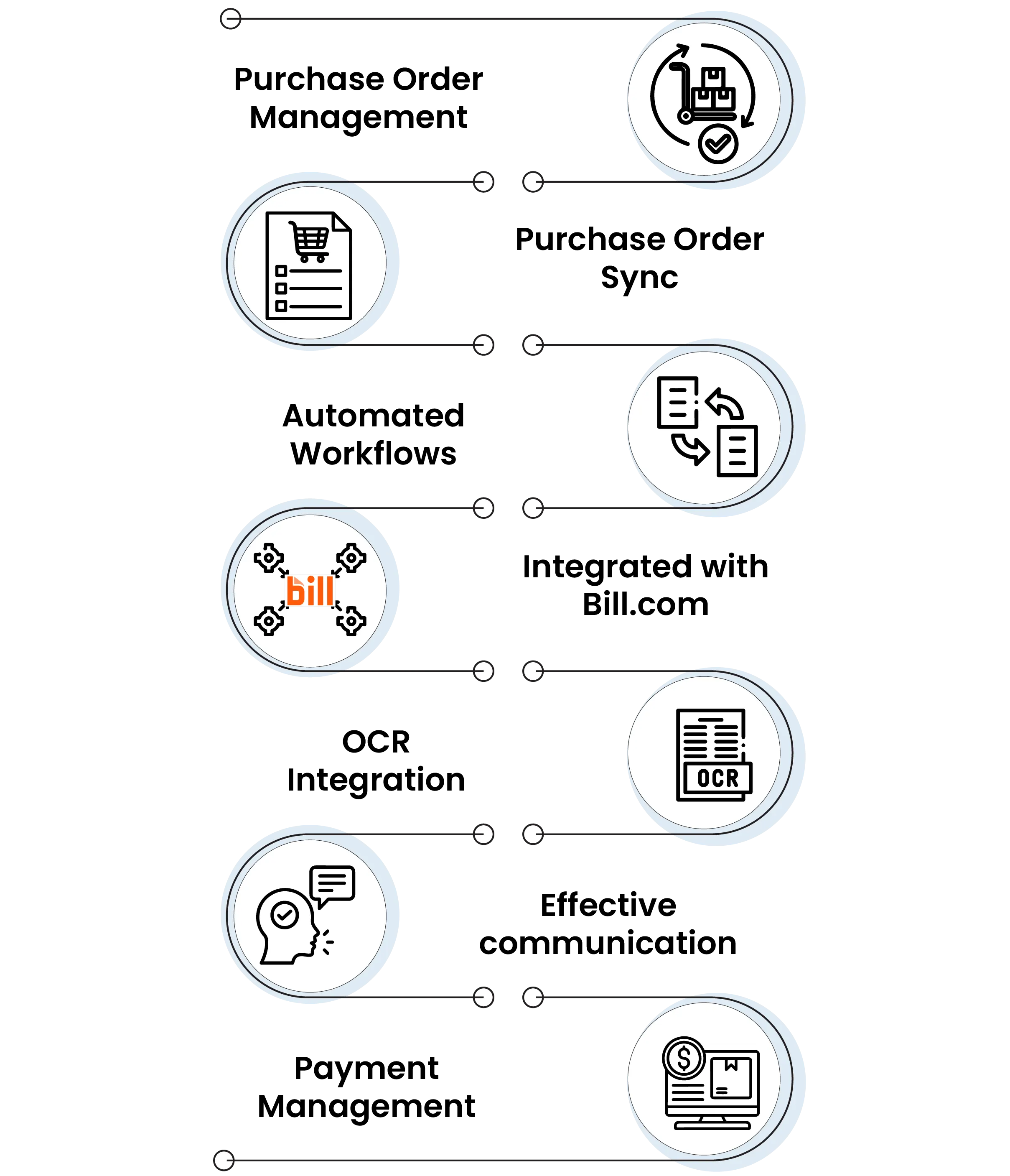
Purchase Order Management: A centralised dashboard empowers vendors to easily view, manage, and even track all their orders with complete visibility into order status and progress.
Purchase Order Sync: The real-time, bidirectional data sync between Odoo and the vendor dashboards ensures vendors always have everything up to date.
Automated Workflows: The routine vendor-related tasks, such as sending updated information, confirming orders, and even managing communication, are also fully automated.
Integrated with Bill.com: The seamless integrations with Bill.com enable hassle-free payment processing for all the approved vendors, ensuring all the timely and all kinds of accurate payments with minimal admin effort.
OCR Integration: The integrated OCR engine automatically reads and even extracts key information from all the vendor invoices and all the documents, reducing all the manual data entry and minimising errors.
Effective communication: When you are in a built-in chat and messaging tool allows businesses and vendors to interact directly within each kind of record.
Payment management: The vendors gain clarity and control over financial operations through easy access to all the invoices, payment tracking, and all the transaction history.