This guide compares the five best QuickBooks Payroll alternatives for US businesses in 2026. Each option below handles full-service payroll and federal, state and local tax filing, with different strengths on price, HR features and scale. For reference, QuickBooks Payroll itself now costs $50 per month plus $7 per employee on Core, $88 per month plus about $10 per employee on Premium, and $134 per month plus $12 per employee on Elite. Prices shown are as of October 2026, so confirm them on each vendor's site before you buy.
Gusto

Gusto is one of the most popular QuickBooks Payroll alternatives for US small businesses. It combines full-service payroll, automated tax filing and an easy-to-use interface, and it undercuts most dedicated payroll providers on price for small teams.
Features
Provides a full-service payroll with flexible and easy schedules.
Automated federal, state and local tax filing, including W-2s and 1099s.
Provides health, retirement and financial benefits with automated functions
Pros
Simple, transparent pricing that works well for small teams
Automated hiring and on boarding tools
24/7 chat support
Pricing
Gusto offers three plans: Simple at $49 per month plus $6 per person, Plus at $80 per month plus $12 per person, and Premium at $180 per month plus $22 per person (prices as of October 2026, confirm on gusto.com).
Cons
Per-employee fees add up quickly as the team grows
Time tracking, performance management and other advanced HR features are only included on the higher plans
OnPay
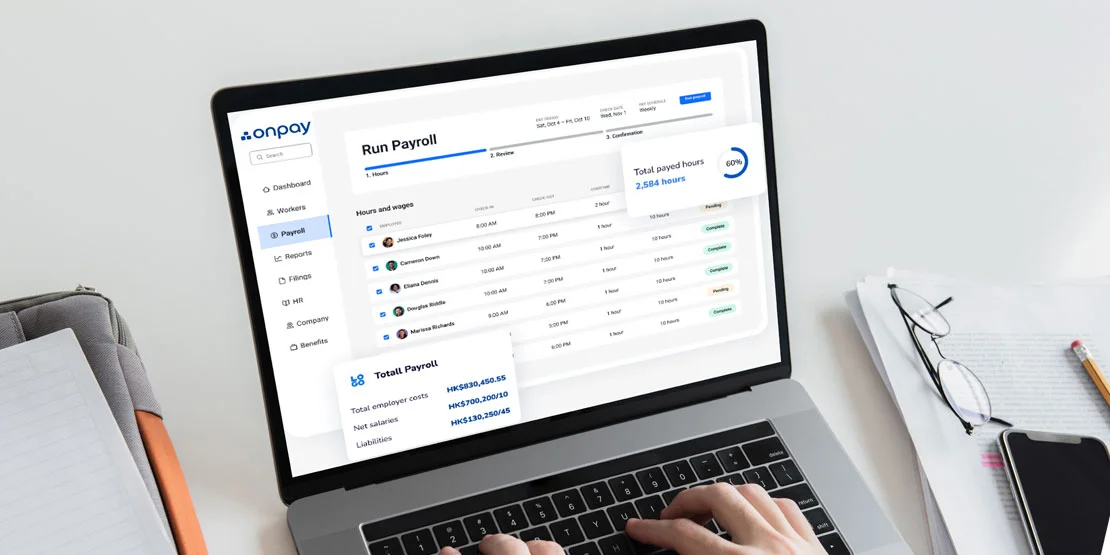
OnPay is another QuickBooks Payroll alternative that stands as a tailored software for small scale business due to its unique price point. It uses a single, straightforward plan that covers payroll, tax filing and core HR without tiered pricing, so a small team gets the full product at a lower cost.
Features
Provides complete full-service payroll on a single, flat-priced plan
OnPay has extensive HR tools like onboarding, productivity and PTO management that promotes the work efficiency
The software gives the user access to a free account setup with wage and employee tools in data migration.
Benefits administration, including health insurance, in all 50 states
Integrates with popular third-party apps for benefits, time tracking and accounting.
Pros
Provides a simple price structure interface with no plan tiers
Free three-month trial period
Works on client-centric approach
Customizable tools like PTO management, time off requests and more
The software does not charge for multi-state payroll.
Pricing
OnPay has a single plan: about $40 to $59 per month base plus about $6 per employee (prices as of October 2026, confirm on onpay.com).
Cons
With only one plan, businesses that need advanced HR features may outgrow the software, so there are low chances of scalability
The software does not offer any international payroll, which makes it difficult for the user to have currency exchange and international client accessibility.
Limited support and service compared with larger providers like ADP
ADP RUN
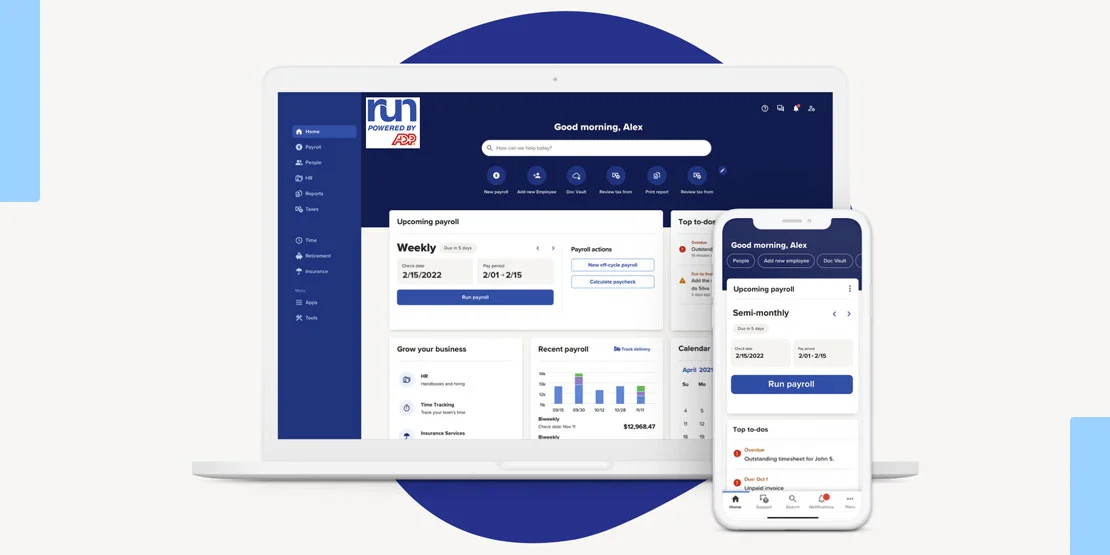
ADP RUN works as a perfect fit for the businesses searching for a good HR support, that not only provides normal functionalities but also work on modern technology, the software provides the user with various hiring features, real-time tracking management, and multi-platform integration and support.
Features
Easy mobile accessibility with numerous services like compliance, tax and much more.
Works on multi-company payroll processing.
24/7 customer support.
Modern HR tools accessibility such as applicant tracking and an LMS.
Provides employee discounts.
Pros
Automatic tax filing and compliance support in all 50 states.
Powerful HR and LMS tools that can be further scaled.
Full-featured and advanced mobile application.
Works with extensive features like background checks, new-hire reporting with the Hiring module.
Seamless third-party software integrations.
Pricing
ADP does not publish standard rates. RUN uses custom pricing across four plans, so you need a quote that lists the base fee and the per-employee charge.
Cons
The software/application does not publish any price plans.
Extra cost for functionalities like time tracking and benefits administration.
Complex learning curve for new users.
Papaya Global

Papaya Global is a software that helps the user to manage their workflow and streamlines global payroll and payment options. The software works in over 160 countries with an extensive range of automated payment options, real-time analyzing and employee self-service options. It targets global teams, so it is usually more platform than a US-only small business needs.
Features
Give the user scalability access
Embedded payments option with about 95% of payments reaching workers the same day.
Employer of record with employee self-service tools.
Tailored workflow.
Integrations with other ERP software’s and applications.
Pros
Powerful, customizable analytics for insight into payroll and HR.
Numerous plans and features to choose from.
Easy currency exchange.
24/7 support through chat process.
Automated compliance checks and expert compliance support.
Pricing
Papaya Global does not publish standard pricing; rates are quote-based and depend on headcount and the countries you pay into. Because the platform targets global teams rather than most US small businesses, it is usually more than a US-only company needs, so check papayaglobal.com for a current quote.
Cons
High Onboarding fee.
Complex and timely implementation process.
Complex learning curve especially for advanced features.
Paychex Flex
Paychex Flex is the payroll platform from Paychex, one of the largest US payroll and HR providers. It is aimed at small and mid-sized businesses that want payroll, tax services and HR support from a single vendor, with the option to add benefits, time tracking and workers' compensation as the business grows.
Features
Full-service payroll with automatic tax filing and payment at the federal, state and local level.
Mobile app for pay stubs, time tracking and manager approvals.
Add-on HR services, benefits administration and workers' compensation insurance.
Pros
Scales from a few employees to several hundred, with dedicated service options.
Compliance support and 24/7 phone service for payroll questions.
Bundles payroll with time, benefits and PTO tracking in one account.
Pricing
Paychex does not publish standard rates; Paychex Flex is quote-based, with custom pricing based on the number of employees and the services you add. Ask for a written quote that lists the base fee and the per-employee charge before you commit.
Cons
No published price list, so it is hard to compare with self-service tools like Gusto or OnPay.
Time tracking, benefits and other add-ons raise the monthly cost.
Lastly, all of these QuickBooks Payroll Alternatives work the best when the user knows their requirements, understands their vision and wants to have a flexible and automated software for managing global payroll, compliance, and payments. Hence it is essential that the business conducts in-depth research into all the available software options and goes for the one that suits their business needs well.

Leaving QuickBooks altogether? Run your business on Odoo
If you are replacing QuickBooks Payroll because you are leaving QuickBooks entirely, Odoo can take over your accounting, invoicing, inventory, sales and HR in one system. For US payroll, many Odoo users keep a dedicated provider like Gusto or ADP and connect it to Odoo, so pay runs post straight into the books.
O2B Technologies is an Odoo partner in Austin, TX. We move your customers and invoices from QuickBooks into Odoo, set up your chart of accounts, and connect your payroll provider.
See our QuickBooks to Odoo migration · Odoo data migration services · Odoo integration
Odoo Community is free and open source. Odoo Enterprise (which includes the Payroll app) is priced per user per month; see odoo.com/pricing for current rates.
FAQs
Is there an alternative to QuickBooks Payroll?
Yes. Gusto, OnPay, ADP RUN, Paychex Flex and Papaya Global are all established QuickBooks Payroll alternatives for US businesses, and each covers full-service payroll, tax filing and employee management. If you are also leaving the rest of QuickBooks, the Odoo section above shows how to run accounting, inventory, sales and HR in one system while keeping a dedicated payroll provider.
What is better to use than QuickBooks?
It depends on what you need. Gusto and OnPay are the strongest value options for US small businesses, ADP RUN and Paychex Flex suit companies that want full HR support from one vendor, and Odoo is the better choice when you want to replace QuickBooks entirely with a full ERP.
What is ADP RUN?
RUN is ADP's payroll and HR platform for small businesses. It assists the user with payroll processing, employee management and core HR tasks, both in the online form and as a mobile application.
What is the price for QuickBooks Payroll Alternatives?
QuickBooks Payroll itself starts at $50 per month plus $7 per employee (Core), with Premium at $88 plus about $10 per employee and Elite at $134 plus $12 per employee (prices as of October 2026). The alternatives in this list start lower, with Gusto Simple at $49 plus $6 per person and OnPay at about $40 to $59 plus about $6 per employee, while ADP RUN and Paychex Flex are quote-based.
What are the disadvantages of using OnPay as a QuickBooks Payroll alternative?
OnPay keeps payroll simple, but that simplicity has limits: customization options are few, the single-plan structure leaves little room for advanced HR features, and businesses that rely on other QuickBooks modules may find the split workflows inconvenient.